How to Automate Flybook
Flybook automates the arranging: guide-dependent trip availability, guide roles and assignments, staff calendars, pre-arrival emails, digital waivers, a group portal and self check-in. River gauges, agency closure notices and certification pages sit outside the book, and reading those on a schedule is what an agent like WebRun adds.
 Written by
Elliot Nakamura
Platform writer
Written by
Elliot Nakamura
Platform writer
 Reviewed by
Owen Hartley
Workflow engineer
Reviewed by
Owen Hartley
Workflow engineer
The Flybook books the bed and the raft on one reservation
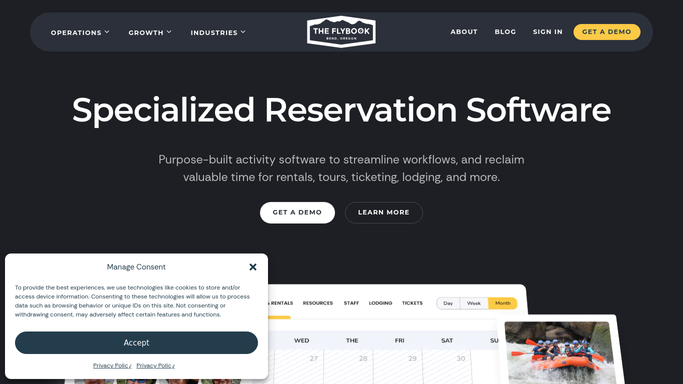
Flybook is activity reservation software for outdoor recreation: rafting outfitters, zipline and adventure parks, dude ranches, lodges, guided tours, rental shops and the ticketing desks in front of them.
What separates it from a plain booking page is that many of its customers sell two things at once. A guest does not buy a raft trip, they buy a week. A cabin from Sunday. Three meals a day. A horse on Tuesday, a float on Wednesday, a guide who knows that stretch of river, and a rod they will rent when they arrive. One reservation has to hold all of it, and the parts have to not collide.
So The Flybook carries the lodging and the activities in the same book. Which cabin and which nights. Which trips, which guide, which item off the rack. Who paid a deposit and who owes a balance. Which waivers are signed. What a rider put down for weight and experience, which is what decides the horse they get.
A week-long stay is forty separate arrangements
Every one of those arrangements has a person behind it, and most of them change.
A family adds two nights. A guest flies in on Saturday rather than Sunday, so the shuttle moves. One rider has never sat on a horse and said so, and one has never sat on a horse and did not. Thursday's trail ride becomes Thursday afternoon because of a storm cell, which double-books the guide who had the afternoon float.
Then the pile that has nothing to do with guiding. Balances still outstanding a week out. Waivers unsigned by three people in a party of eleven. The wilderness first aid card on a returning guide, which expires in April, in the middle of hiring season.
None of it is complicated. All of it is somebody at a desk with the season already running.
Guide-dependent availability closes the trip nobody can staff
Flybook automates a great deal of the arranging, and an outfitter paying for it should have all of this switched on before adding anything.
Guide management is the strongest part. Guide-dependent trip availability keeps a trip off the booking page unless somebody who can run it is free. Guide roles separate a trip leader from an assistant or a shuttle driver, assignments go out by text or email and get accepted, and staff set their own vacation and availability. Pre-arrival preparation covers the guest side: custom automated emails, waivers signed before arrival, a portal for group management where a group leader watches who has signed and settles several balances at once, and self check-in at the storefront. Equipment management tracks what leaves the rack, and a retail POS runs the shop.
Every one of those is triggered by something already in the book: a trip scheduled, a guide assigned, an arrival approaching, a waiver outstanding.
The things that rearrange an outdoor week are published by other people. The gauge reading belongs to a government agency. Fire restrictions and trail closures sit on a land manager's notice board. Whether a guide's certification is still current is on the certifying body's site, and what the processor deposited is on the processor's.
The river, the road and the fire ban decide the week too
A ranch week is planned in January and rearranged in the twelve hours before it starts.
Tomorrow's float trips set beside the gauge reading and the release schedule, so the choice of put-in is made at six with a number in front of you rather than by ringing somebody who drove past the river.
Fire restrictions, trail closures and road work read off the agency notices and matched to the rides, hikes and drives actually on the book that week, so the guest who booked the high trail hears it from you first.
Guide certifications watched on the pages that issue them, so a card expiring in April becomes a February problem instead of a June one. Arriving guests' flights checked the night before, because a shuttle sent to meet a delayed flight is two hours of a driver and a van.
Balances still outstanding compared with what the processor actually took, and reviews matched back to the guide who ran the trip, which is the only way praise reaches whoever earned it.
Anything that reaches a guest stays supervised. Moving somebody's ride is a conversation, and a message fired by a schedule is not one.
The busy season is exactly when nobody checks anything
Whether the river is safe on Wednesday gets decided on the bank by a trip leader, and it should stay there. The gauge reading behind that decision sits on a public page that somebody has to remember to open.
WebRun is an AI agent that works a real Chrome browser, signed in as you. It opens the gauge, the agency notices, the airline page, the processor or The Flybook itself, reads what is on each screen, and hands back a single sheet with the exceptions named.
It runs on the schedule you set, in your own private environment, and you can watch a run and stop it. Anything addressed to a guest is drafted and left for you.
The workflows below each name the sites they open.
Questions people ask
Our guides set their own availability. Does this change that?
No. Guides carry on setting their own schedules and the calendar stays exactly where it is. What gets added is the outside checking, such as a certification about to lapse or a road closed on Thursday, brought back as a list rather than found on the morning it matters.
We already send pre-arrival emails from Flybook. Is this a replacement?
No, and the built-in ones should keep running. This drafts the awkward messages instead: a ride that has moved, a balance on a week starting Sunday, a rider whose stated experience does not match the horse they were given.
We sell lodging and activities together. Does it read both sides?
Yes. It works the screens your desk works, so a cabin turnover and the trips booked into that week come back in one run. That matters most on changeover day, when housekeeping and the guide roster are both decided from the same arrivals list.
10 ready-made Flybook workflows
Each one names the apps it touches and the exact steps it takes. Open one to read what it will do, then turn it on.






Want one of these running on your own Flybook?
Show WebRun the process once and it will run it on schedule, in your own private browser environment.