Reschedule trail rides when weather turns and alert affected guests
Each morning, WebRun reads the day's trail rides in Flybook, checks the forecast for lightning, heat, or storms, proposes a safer slot on Google Calendar when a ride must move, and drafts a text alert in Twilio for your team to approve before any guest is told.
- No credit card
- Under $0.01 per run
- Cancel anytime
What does WebRun do on every run?
The exact actions WebRun takes, in order - in plain language, so you can adjust anything.
-
WebRun signs in and gets to work
Opens
theflybook.comin a real browser with your saved login - no setup, no API keys. -
1
Flybook - read today's trail rides
theflybook.com How to Automate Flybook

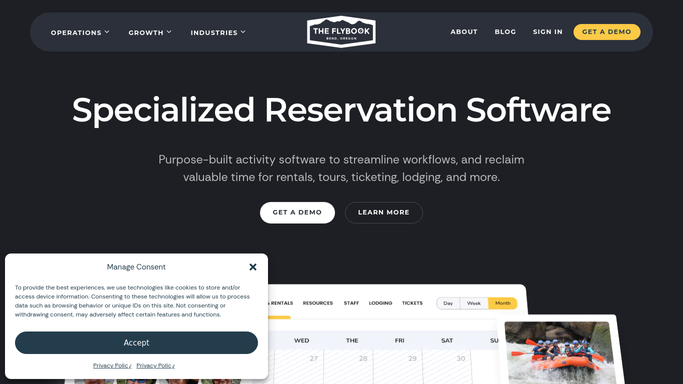
WebRun opens Flybook to read today's trail rides. - Open Flybook and list every trail ride scheduled for today and tomorrow
- Capture the ride time, guide, party, and guest contact for each
- Check the local forecast for the ride window for lightning, extreme heat, or storms
- Flag any ride whose conditions look unsafe to run as booked
Done when Each upcoming ride is marked as safe to run or flagged for weather.
-
2
Google Calendar - propose a safer time slot
calendar.google.com How to Automate Google Calendar
WebRun proposes a safer time slot in Google Calendar. - Open the ranch riding calendar in Google Calendar
- For each flagged ride, find the next open slot in a safer weather window
- Propose a tentative moved time that keeps the guide and party together
- Leave the proposed slot marked tentative until your team confirms it
Done when Every weather-flagged ride has a proposed safer slot marked tentative on the calendar.
-
3
Twilio - draft the guest text alert
twilio.com How to Automate Twilio
WebRun drafts the guest text alert in Twilio for approval. - Draft a short, clear text alert in Twilio for each affected guest
- State that the ride is moving for safety and give the proposed new time
- Queue the messages for your team to approve rather than sending them
- Leave every text unsent until a human confirms the reschedule
Done when A guest text is drafted and queued for each affected ride, unsent, awaiting approval.


How do I automatically reschedule trail rides for weather and alert guests?
Each morning WebRun reads the day's trail rides in Flybook and checks the forecast for lightning, heat, or storms. For any unsafe ride it proposes a safer slot on Google Calendar and drafts a text alert in Twilio for your team to approve, so guests are moved to safe conditions only after a human confirms the reschedule.
- Unsafe rides get a proposed safer slot before the day starts
- Guests hear about changes only after a human approves the message
- Guide and party stay together in the reschedule instead of being split up
Built for guest ranch owners · dude ranch wranglers · trail riding outfits · ranch operations teams
How is each run configured?
Secure by default
Connect once, stays signed in
WebRun signs in once and keeps each session in a persistent environment, so every run picks up right where it left off.
Every action is checked against this policy before it runs.
Questions, answered
Will it text guests about a reschedule on its own?
No. WebRun drafts and queues every Twilio text and marks the calendar slot tentative, but leaves the send for your team. A human confirms the new time and approves each message before any guest is notified.
How does it decide a ride is unsafe?
It checks the forecast for the exact ride window for lightning, extreme heat, or storms and flags rides that breach your thresholds. You review each flag, so the final call to move a ride always stays with your team.
What if the weather clears before the ride?
It rechecks the forecast each morning, so a ride flagged on an early run can be cleared on a later check. Because nothing is sent until you approve, an improving forecast simply means you decline the proposed move.
Related templates
Put this on autopilot.
Turn it on in minutes - or have our team set it up for you.