Draft pre-arrival packing and travel reminders for arriving guests
Every morning, WebRun opens Flybook, finds ranch weeks arriving in the next seven days, drafts a packing and travel reminder in Mailchimp tailored to each party's booked activities and season, and logs who was queued in a Google Sheet for your team to review.
- No credit card
- Under $0.01 per run
- Cancel anytime
How do I automatically send pre-arrival packing reminders to ranch guests?
Every morning WebRun opens Flybook, finds ranch weeks arriving within seven days, and drafts a packing and travel reminder in Mailchimp tailored to each party's booked activities and season. It logs who was queued in a Google Sheet and leaves every email unsent, so your team reviews and schedules each reminder before it reaches guests.
- Every arriving party gets a tailored packing list drafted days ahead
- Guests arrive prepared for the exact activities they booked
- Team reviews and schedules instead of writing each reminder by hand
Built for guest ranch owners · dude ranch operators · ranch guest services · hospitality teams
What does WebRun do on every run?
The exact actions WebRun takes, in order - in plain language, so you can adjust anything.
-
WebRun signs in and gets to work
Opens
theflybook.comin a real browser with your saved login - no setup, no API keys. -
1
Flybook - find upcoming arrivals
theflybook.com How to Automate Flybook
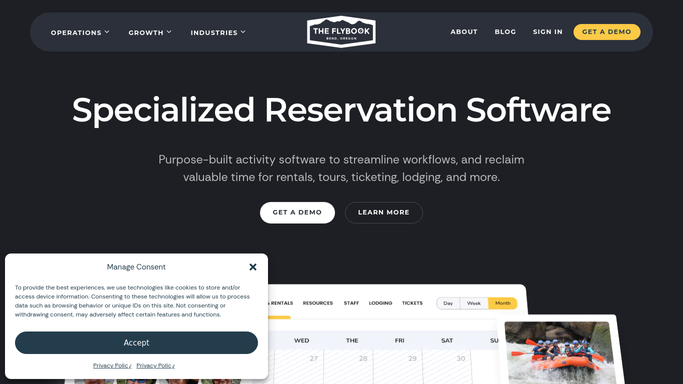
WebRun opens Flybook to find upcoming arrivals. - Open Flybook and filter bookings to those arriving within the next 7 days
- Read each party's booked activities, such as riding, fly fishing, or hiking
- Capture the guest names, arrival date, and party size
- Note the season and expected weather window for the stay
Done when Every arrival in the next 7 days is listed with its activities and dates.
-
2
Google Sheets - log queued reminders
google.com How to Automate Google Sheets

WebRun logs the queued reminders to a Google Sheet. - Open the Pre-Arrival Reminders sheet
- Append a row per arriving party with names, arrival date, and activities
- Mark each as reminder queued with today's date
- Skip any party already reminded for this stay
Done when Each arriving party has a row showing the reminder was queued.
-
3
Mailchimp - draft the packing reminder
mailchimp.com How to Automate Mailchimp

WebRun drafts the packing reminder in Mailchimp for review. - Draft a packing and travel reminder in Mailchimp for each arriving party
- Tailor the packing list to their booked activities and the season
- Include arrival directions, check-in time, and what the ranch provides
- Leave every draft unsent so your team can review and schedule the send
Done when A tailored reminder sits in Mailchimp as a draft for every arriving party, unsent.
How is each run configured?
Secure by default
Connect once, stays signed in
WebRun signs in once and keeps each session in a persistent environment, so every run picks up right where it left off.
Every action is checked against this policy before it runs.
Questions, answered
Will it send the packing reminders on its own?
No. WebRun drafts every reminder in Mailchimp and leaves it unsent. Your team reviews the packing list and timing, then schedules the send, so nothing reaches guests without a human check.
How does it know what each guest should pack?
It reads each party's booked activities and the season from Flybook, so a riding-and-fishing week gets a different list than a hiking week. The packing guidance matches what they actually signed up for.
What if an arrival date moves or a booking cancels?
It reads the live arrivals in Flybook each morning, so a rescheduled party is picked up on its new date and a cancelled booking simply drops off the queue automatically.
Related templates
Put this on autopilot.
Turn it on in minutes - or have our team set it up for you.