Draft Google review requests for happy GoTab guests
Every night, WebRun scans GoTab for closed tabs above your spend threshold, drafts a short review request SMS via Twilio for each qualifying guest, and queues all messages for your team to review and approve before any guest is contacted.
- No credit card
- Under $0.01 per run
- Cancel anytime
How do I automatically draft Google review requests for GoTab guests after they close their tab?
WebRun scans GoTab every night for closed tabs above your spend threshold, drafts a friendly review request SMS via Twilio for each qualifying guest, and queues the messages for your team to review. No text reaches a guest without approval, and guests contacted recently are excluded automatically.
- High-value guests receive a review request draft within hours of closing their tab
- No SMS reaches a guest without explicit team approval
- Recent contacts excluded automatically to prevent over-messaging
Built for bar owners · brewery operators · food hall managers · hospitality marketing teams
What does WebRun do on every run?
The exact actions WebRun takes, in order - in plain language, so you can adjust anything.
-
WebRun signs in and gets to work
Opens
gotab.comin a real browser with your saved login - no setup, no API keys. -
1
GoTab - identify qualifying closed tabs
gotab.com How to Automate GoTab
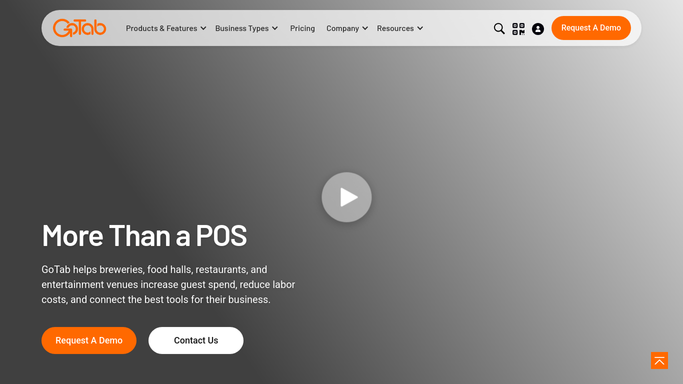
WebRun opens GoTab to identify qualifying closed tabs. - Open GoTab and review closed tabs from the current day
- Filter for tabs above the minimum spend threshold you have configured
- Exclude any guests who were already contacted for a review in the past 90 days
- Capture the guest name and phone number for each qualifying tab
Done when Qualifying closed tabs are identified with guest contact details and no recent prior contact.
-
2
Twilio - draft review request SMS for team approval
twilio.com How to Automate Twilio

WebRun opens Twilio to draft review request SMS for team approval. - Draft a short, friendly review request SMS for each qualifying guest mentioning the venue name
- Include a direct link to your Google Business review page in each message
- Queue all drafts for your team to review before sending
- Do not send any message without explicit team approval
Done when A draft review request SMS is queued for every qualifying guest, pending team approval.
How is each run configured?
Secure by default
Connect once, stays signed in
WebRun signs in once and keeps each session in a persistent environment, so every run picks up right where it left off.
Every action is checked against this policy before it runs.
Questions, answered
Will review request texts go out to guests without my approval?
No. Every review request is drafted and queued for your team to review first. No message is sent to any guest until a team member approves the batch.
How do you avoid messaging the same guest too often?
WebRun tracks who has been contacted for a review in the past 90 days and excludes them automatically, so no guest is spammed with repeated requests.
Can I set the minimum spend threshold for qualifying tabs?
Yes. Configure the minimum tab amount and WebRun only queues review requests for guests who meet that threshold, focusing on your most satisfied visitors.
Related templates
Put this on autopilot.
Turn it on in minutes - or have our team set it up for you.