Draft win-back offers for lapsed GoTab guests
Every Monday, WebRun checks GoTab for guests who last visited more than 60 days ago, segments them by spending tier, and drafts a personalized win-back email campaign in Mailchimp for your marketing team to review and approve before anything is sent.
- No credit card
- Under $0.01 per run
- Cancel anytime
How do I automatically draft win-back emails for lapsed GoTab guests?
WebRun checks GoTab every Monday for guests who have not visited in 60 days, segments them by spend tier, and drafts a personalized win-back email campaign in Mailchimp for your team to review. No email reaches a guest until your marketing team approves and sends it manually.
- Lapsed guests identified and segmented every week without manual data pulls
- Personalized win-back drafts ready in Mailchimp with one click to send
- High-value guests get a differentiated offer based on their spending history
Built for bar marketing managers · brewery operators · food hall marketing teams · hospitality loyalty programs
What does WebRun do on every run?
The exact actions WebRun takes, in order - in plain language, so you can adjust anything.
-
WebRun signs in and gets to work
Opens
gotab.comin a real browser with your saved login - no setup, no API keys. -
1
GoTab - identify lapsed guests by last-visit date
gotab.com How to Automate GoTab
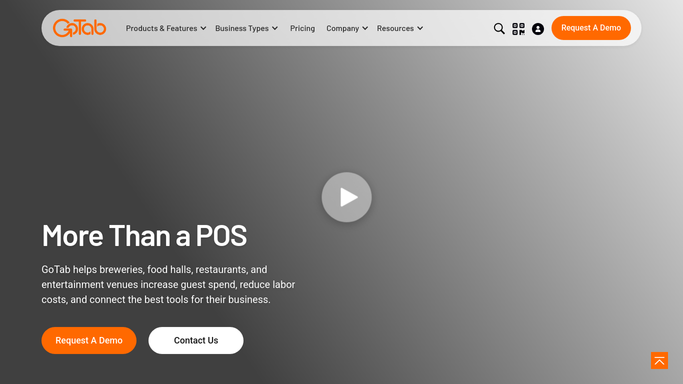
WebRun opens GoTab to identify lapsed guests by last-visit date. - Open GoTab and review guest or tab history to find accounts with no visit in the last 60 days
- Segment by average spend: high-value guests over the 60-day average spend and standard guests below
- Capture guest name, email, last visit date, and average spend per visit for each segment
Done when Lapsed guests are identified and segmented by spending tier with contact details.
-
2
Mailchimp - draft segmented win-back campaign for review
mailchimp.com How to Automate Mailchimp

WebRun opens Mailchimp to draft segmented win-back campaign for review. - Create a draft campaign in Mailchimp for each segment with a personalized subject line referencing the guest's last visit
- Write a warm, offer-led message appropriate to the spend tier
- Leave every campaign in draft status for your marketing team to review and approve
- Do not schedule or send any email without explicit team approval
Done when A draft win-back campaign is ready in Mailchimp for each guest segment, pending team approval.
How is each run configured?
Secure by default
Connect once, stays signed in
WebRun signs in once and keeps each session in a persistent environment, so every run picks up right where it left off.
Every action is checked against this policy before it runs.
Questions, answered
Will it send win-back emails to guests without my approval?
No. Every win-back campaign is saved as a draft in Mailchimp. Your team reviews, edits if needed, and sends it manually. Nothing reaches guests automatically.
How does it define a lapsed guest?
By default, any guest with no recorded GoTab tab or visit in the past 60 days. You can adjust this window to 30, 90, or any period that suits your venue.
Can it tailor the offer to a guest's favourite drinks or spending history?
Yes. WebRun reads each guest's average spend and category preferences from GoTab and uses them to personalize the offer language in the draft.
Related templates
Put this on autopilot.
Turn it on in minutes - or have our team set it up for you.