Kick off every new patient's EngagedMD onboarding without manual effort
When a new patient is added, WebRun opens EngagedMD to verify the account is active and that the correct Learn and Sign module sets are assigned for the patient's treatment type. It logs the onboarding status to a Google Sheet and posts a Slack confirmation to the coordinator channel, flagging any setup gaps immediately.
- No credit card
- Under $0.01 per run
- Cancel anytime
How do I automatically verify new patient onboarding in EngagedMD when a patient is registered?
When a new patient is added, WebRun opens EngagedMD within minutes to verify the account is active and that the correct Learn and Sign modules are assigned for their treatment type. It logs the check to Google Sheets and posts a Slack confirmation or gap alert to the coordinator channel so any setup error is caught immediately.
- Every new patient's EngagedMD setup is verified within minutes of registration
- Setup gaps are flagged in Slack before the patient tries to access their modules
- Coordinators have a logged onboarding record for every new patient
Built for fertility clinic coordinators · IVF practice managers · reproductive health intake teams
What does WebRun do on every run?
The exact actions WebRun takes, in order - in plain language, so you can adjust anything.
-
WebRun signs in and gets to work
Opens
app.engagedmd.comin a real browser with your saved login - no setup, no API keys. -
1
EngagedMD - verify account activation and module assignment
engagedmd.com How to Automate EngagedMD
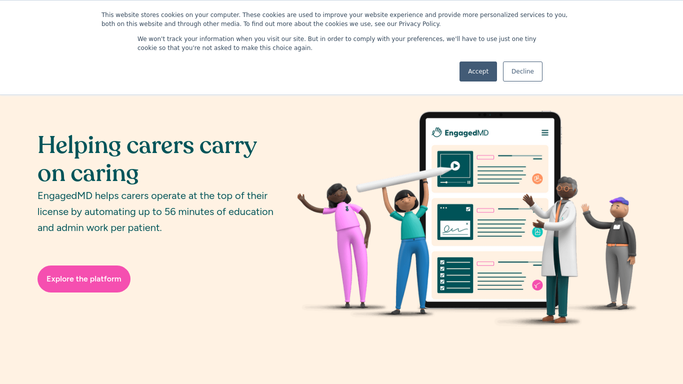
WebRun opens EngagedMD to verify account activation and module assignment. - Open EngagedMD and locate the new patient record
- Confirm the patient account is active and has received the onboarding invitation
- Verify that the correct Learn modules and Sign forms are assigned based on the patient's treatment type
- Flag any missing assignments or account setup errors
Done when The new patient's EngagedMD account is verified as correctly set up, or specific gaps are identified.
-
2
Google Sheets - log onboarding status and any setup gaps
google.com How to Automate Google Sheets

WebRun opens Google Sheets to log onboarding status and any setup gaps. - Open the new patient onboarding tracker sheet
- Add a row for the new patient with their ID, treatment type, account status, and any flagged setup gaps
- Note the date and time of the onboarding check
Done when The new patient row is added to the onboarding log with full status.
-
3
Slack - post confirmation or gap alert to coordinator channel
slack.com How to Automate Slack

WebRun opens Slack to post confirmation or gap alert to coordinator channel. - Post a Slack message to the coordinator channel confirming the patient's EngagedMD setup is complete
- If any setup gap was found, post an alert listing the specific missing modules or account issue
- Include the patient ID and the step the coordinator needs to take to resolve any gap
Done when The coordinator is notified in Slack and can act immediately on any setup issue.
How is each run configured?
Secure by default
Connect once, stays signed in
WebRun signs in once and keeps each session in a persistent environment, so every run picks up right where it left off.
Every action is checked against this policy before it runs.
Questions, answered
Will it send the onboarding invitation to the patient?
No. WebRun verifies the setup in EngagedMD and alerts the coordinator. Any patient-facing invitation or welcome message must be reviewed and sent by a staff member.
How does it know which modules to assign?
It reads the patient's treatment type from their EngagedMD record and checks whether the modules mapped to that treatment type are present, using your clinic's existing EngagedMD configuration.
What if the patient was already set up correctly?
It posts a clean confirmation in Slack so the coordinator has a record that onboarding is complete. If everything is correct, no action is required.
Related templates
Put this on autopilot.
Turn it on in minutes - or have our team set it up for you.