Chase down incomplete consent forms before the next appointment
Every morning, WebRun opens EngagedMD, finds every patient with outstanding consent forms, logs the gap to a Google Sheet, and posts a Slack digest to the care team so no appointment is blocked by a missing signature.
- No credit card
- Under $0.01 per run
- Cancel anytime
What does WebRun do on every run?
The exact actions WebRun takes, in order - in plain language, so you can adjust anything.
-
WebRun signs in and gets to work
Opens
app.engagedmd.comin a real browser with your saved login - no setup, no API keys. -
1
EngagedMD - find patients with incomplete consent
engagedmd.com How to Automate EngagedMD

WebRun opens EngagedMD to find patients with incomplete consent. - Open EngagedMD and navigate to the consent tracking dashboard
- Filter for patients whose consent status is not complete
- Capture patient ID, form name, due date, and days outstanding for each
Done when Every patient with an incomplete consent form is listed with full details.
-
2
Google Sheets - log each gap with patient ID and form name
google.com How to Automate Google Sheets
WebRun opens Google Sheets to log each gap with patient ID and form name. - Open the consent-chase log sheet
- Append a new row for each incomplete patient with today's date, patient ID, form name, and days overdue
- Mark any patient who appeared yesterday and is still incomplete with a follow-up flag
Done when The sheet has an up-to-date row for every patient with a consent gap.
-
3
Slack - post daily digest to care coordinator channel
slack.com How to Automate Slack
WebRun opens Slack to post daily digest to care coordinator channel. - Post a summary to the care coordinator channel listing how many patients need follow-up
- Include the top 10 most time-sensitive cases sorted by appointment date
- Note that any direct patient reminder must be reviewed and sent by a coordinator, not by WebRun
Done when Coordinators have today's consent-chase digest in Slack.
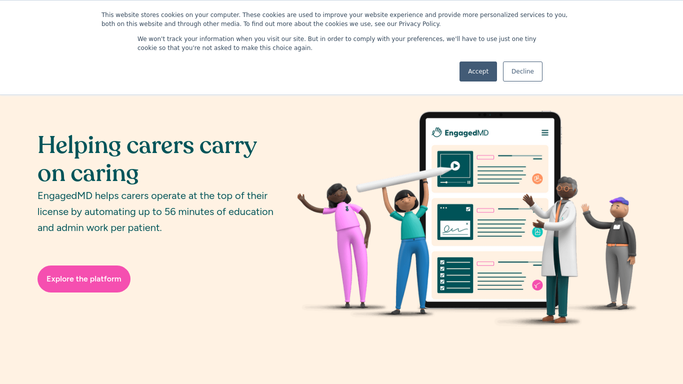


How do I automatically track and chase incomplete patient consent forms in EngagedMD?
WebRun opens EngagedMD every morning, finds every patient with an incomplete consent form, logs each gap to Google Sheets with days outstanding and appointment date, and posts a prioritized digest to the care coordinator Slack channel so the team can follow up before any appointment is blocked.
- No appointment is blocked by a missing consent form
- Coordinators open Slack each morning to a prioritized chase list
- Completed consents are removed automatically from the next day's digest
Built for fertility clinic coordinators · IVF practice managers · reproductive health practices
How is each run configured?
Secure by default
Connect once, stays signed in
WebRun signs in once and keeps each session in a persistent environment, so every run picks up right where it left off.
Every action is checked against this policy before it runs.
Questions, answered
Will it send reminders directly to patients?
No. WebRun drafts and queues any patient-facing reminder for a coordinator to review and send. Patient contact is never automated because it may contain protected health information.
How does it know which consents are urgent?
It sorts the list by the patient's next scheduled appointment date in EngagedMD, putting the most time-sensitive gaps at the top of every digest.
What if a patient completed their forms overnight?
It reads live consent status from EngagedMD each morning, so anyone who finished after yesterday's run is automatically removed from today's list.
Related templates
Put this on autopilot.
Turn it on in minutes - or have our team set it up for you.