Draft sensitive cycle outcome follow-up messages for provider review
Every morning, WebRun checks EngagedMD for patients whose cycle outcome (positive, negative, or cancelled) was recorded since yesterday and has no follow-up communication logged. For each patient, it drafts a compassionate follow-up email in Gmail and posts a Slack alert to the clinical team so a provider or coordinator reviews and sends each message the same day.
- No credit card
- Under $0.01 per run
- Cancel anytime
How do I automatically prepare cycle outcome follow-up emails for fertility patients for provider review?
Every morning, WebRun checks EngagedMD for patients whose cycle outcome was recorded in the last 24 hours with no follow-up communication logged. It drafts a compassionate, outcome-appropriate email in Gmail for each patient and alerts the clinical team in Slack so a provider reviews and sends every message the same day, with no automated patient contact.
- Every patient with a fresh cycle outcome has a reviewed, personalized follow-up ready the same day
- No outcome email is ever sent without provider review and approval
- Clinical team is alerted in Slack within hours of each outcome being recorded
Built for fertility clinic providers · IVF care coordinators · reproductive endocrinology practices
What does WebRun do on every run?
The exact actions WebRun takes, in order - in plain language, so you can adjust anything.
-
WebRun signs in and gets to work
Opens
app.engagedmd.comin a real browser with your saved login - no setup, no API keys. -
1
EngagedMD - identify patients with a new cycle outcome and no follow-up logged
engagedmd.com How to Automate EngagedMD
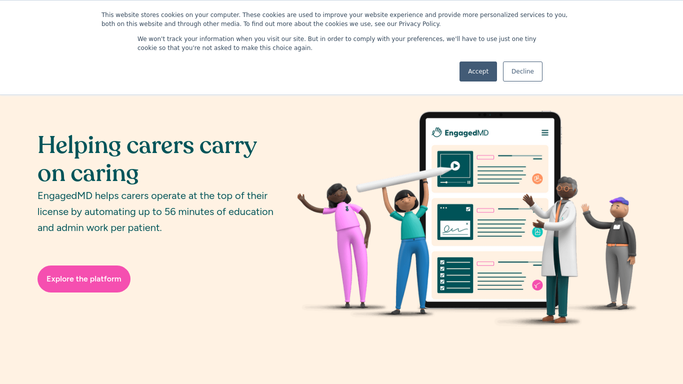
WebRun opens EngagedMD to identify patients with a new cycle outcome and no follow-up logged. - Open EngagedMD and navigate to the patient journey dashboard
- Find patients whose cycle outcome (positive beta, negative beta, or cancelled cycle) was recorded in the last 24 hours
- Check each patient's communication log for an existing outcome follow-up
- Capture patient ID, outcome type, treatment stage, and provider name for those with no follow-up yet
Done when Every patient with a new cycle outcome and no follow-up communication is identified.
-
2
Gmail - draft a compassionate follow-up email for each patient
gmail.com How to Automate Gmail

WebRun opens Gmail to draft a compassionate follow-up email for each patient. - Draft a compassionate, outcome-appropriate follow-up email for each patient
- Tailor the message to the outcome type: celebratory for positive, supportive for negative, and clear next-steps for cancelled
- Include the provider's name in the signature and next appointment or call details
- Save every draft without sending and do not contact the patient automatically
Done when One reviewed and ready draft exists in Gmail for every patient with a fresh cycle outcome.
-
3
Slack - alert clinical team that drafts are ready for provider review
slack.com How to Automate Slack

WebRun opens Slack to alert clinical team that drafts are ready for provider review. - Post a Slack alert to the clinical team channel listing how many outcome follow-up drafts are waiting
- Include the outcome type for each patient so the reviewer knows the emotional context
- Link directly to the Gmail Drafts folder for quick review
Done when The clinical team is notified in Slack and can begin reviewing drafts before the end of the day.
How is each run configured?
Secure by default
Connect once, stays signed in
WebRun signs in once and keeps each session in a persistent environment, so every run picks up right where it left off.
Every action is checked against this policy before it runs.
Questions, answered
Will it send outcome messages to patients automatically?
Never. Cycle outcome communications are among the most sensitive messages in fertility care, and every draft requires a provider or coordinator to review, personalize if needed, and send manually before it reaches the patient.
How does it know the appropriate tone for each outcome?
It reads the outcome type from EngagedMD (positive, negative, or cancelled) and selects the appropriate draft template: celebratory for a positive beta, supportive and forward-looking for a negative result, and practical next-steps for a cancelled cycle.
What if the provider already called the patient and no email is needed?
The coordinator simply discards the Gmail draft. The Slack alert includes context so the team can quickly decide whether the draft is needed or the patient has already been contacted by phone.
Related templates
Put this on autopilot.
Turn it on in minutes - or have our team set it up for you.