Give your care team a single morning digest of everything that needs attention
Every morning, WebRun opens EngagedMD and scans for pending coordinator tasks, overdue patient journey milestones, and patients requiring follow-up, collates everything into a structured digest, logs it to a Notion page for reference, and posts a prioritized summary to the care coordination Slack channel so the team can triage the day quickly.
- No credit card
- Under $0.01 per run
- Cancel anytime
What does WebRun do on every run?
The exact actions WebRun takes, in order - in plain language, so you can adjust anything.
-
WebRun signs in and gets to work
Opens
app.engagedmd.comin a real browser with your saved login - no setup, no API keys. -
1
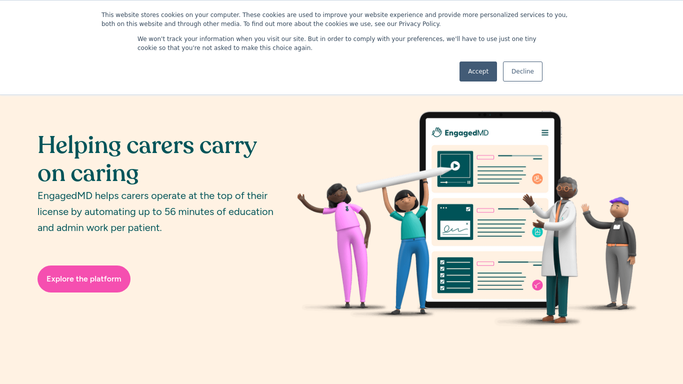
EngagedMD - scan for pending tasks, overdue milestones, and follow-up flags
engagedmd.com How to Automate EngagedMD

WebRun opens EngagedMD to scan for pending tasks, overdue milestones, and follow-up flags. - Open EngagedMD and navigate to the coordinator task and patient journey dashboards
- Collect all pending coordinator tasks assigned to the team
- Identify patients with overdue milestones or blocked journey steps
- Flag any patients whose last activity in EngagedMD was more than five days ago
- Capture patient ID, task type, urgency level, and responsible coordinator for each item
Done when All pending tasks, overdue milestones, and stale patient flags are collected with full detail.
-
2
Notion - log the full daily digest for team reference
notion.so How to Automate Notion
WebRun opens Notion to log the full daily digest for team reference. - Open or create today's care coordination log page in Notion
- Add each item as a structured entry with patient ID, task type, urgency, and coordinator
- Sort entries by urgency so the highest-priority items appear at the top
Done when Today's full digest is logged in Notion and accessible to the whole care team.
-
3
Slack - post prioritized morning digest to care coordination channel
slack.com How to Automate Slack
WebRun opens Slack to post prioritized morning digest to care coordination channel. - Post a morning digest to the care coordination Slack channel
- Lead with a count of high-priority items and the top five most urgent cases
- Include a link to the full Notion page for detail
Done when The care team has today's prioritized digest in Slack and can begin triaging.


How do I get a daily morning digest of all pending care coordination tasks from EngagedMD?
Every morning, WebRun opens EngagedMD to collect all pending coordinator tasks, overdue milestones, and patients who have gone quiet. It logs the full detail to a Notion page and posts a prioritized digest to the care coordination Slack channel so the team can triage the day in minutes rather than clicking through multiple EngagedMD screens.
- Care team starts every day with a single prioritized action list instead of manual dashboard scanning
- Overdue milestones and stale patient flags are surfaced before they delay treatment
- A logged Notion history gives the team a running record of care coordination items
Built for fertility clinic care coordinators · IVF nursing teams · reproductive health practice managers
How is each run configured?
Secure by default
Connect once, stays signed in
WebRun signs in once and keeps each session in a persistent environment, so every run picks up right where it left off.
Every action is checked against this policy before it runs.
Questions, answered
Will it contact patients or take any action in EngagedMD on their behalf?
No. WebRun only reads and surfaces information. It does not send messages, update records, or contact patients. All actions are taken by the care team after reviewing the digest.
Can we customize which task types or milestone stages appear in the digest?
Yes. The run can be scoped to specific task types, journey stages, or coordinator assignments by adjusting the filter criteria in EngagedMD before WebRun reads the dashboard.
What if the same item appears on multiple days?
Unresolved items carry over into the next morning's digest until they are marked complete in EngagedMD. The Notion log keeps a daily history so the team can track how long each item has been open.
Related templates
Put this on autopilot.
Turn it on in minutes - or have our team set it up for you.