Prepare collections follow-up drafts for overdue factored invoices
Every Monday, WebRun opens FundThrough, finds factored invoices where the debtor payment is overdue, drafts a professional collections follow-up email for each in Gmail and logs the outreach attempt in Airtable, so your team can review, send, and track every collections touchpoint without starting from scratch.
- No credit card
- Under $0.01 per run
- Cancel anytime
What does WebRun do on every run?
The exact actions WebRun takes, in order - in plain language, so you can adjust anything.
-
WebRun signs in and gets to work
Opens
app.fundthrough.comin a real browser with your saved login - no setup, no API keys. -
1
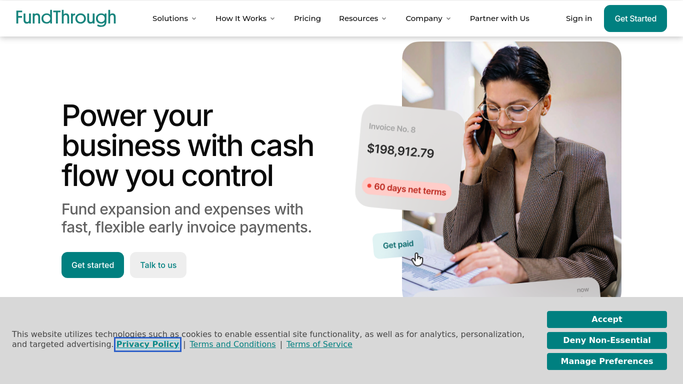
FundThrough - find factored invoices with overdue debtor payments
fundthrough.com How to Automate FundThrough

WebRun opens FundThrough to find factored invoices with overdue debtor payments. - Open FundThrough and filter to funded invoices where the debtor payment date has passed
- Capture the debtor name, invoice number, original due date, funded amount, and days overdue
- Sort by days overdue, longest first, to prioritize the most urgent follow-ups
Done when Every overdue debtor invoice is listed with days overdue and all relevant details.
-
2
Gmail - draft a collections follow-up for each overdue invoice
gmail.com How to Automate Gmail
WebRun opens Gmail to draft a collections follow-up for each overdue invoice. - Draft a professional, on-brand collections follow-up for each overdue invoice referencing the invoice number, amount, and due date
- Save each email as a Gmail draft addressed to the debtor contact, without sending
- Escalate the tone appropriately for invoices over 30 days, 60 days, and 90 days overdue
Done when A Gmail draft follow-up exists for every overdue invoice, unsent and staged for human review.
-
3
Airtable - log each drafted follow-up in the collections tracker
airtable.com How to Automate Airtable
WebRun opens Airtable to log each drafted follow-up in the collections tracker. - Open the collections tracking base in Airtable
- Log each drafted follow-up with debtor name, invoice number, amount, days overdue, and draft date
- Mark the outreach status as 'draft ready' so the team can update it to 'sent' after they dispatch each email
Done when Every drafted follow-up is logged in Airtable with status 'draft ready' for the team to action.


How do I automatically prepare collections emails for overdue factored invoices?
WebRun opens FundThrough every Monday, finds every factored invoice where the debtor payment is overdue, and drafts a collections follow-up email in Gmail for each one with escalating tone based on days past due. Each draft is logged in Airtable with status 'draft ready' so your team can review, send, and track every touchpoint.
- Every overdue debtor gets a ready-to-send follow-up draft within hours
- Collections tone escalates automatically based on days overdue
- No email reaches a debtor without human review and approval
Built for factoring operations teams · accounts receivable managers · invoice factoring clients · collections teams
How is each run configured?
Secure by default
Connect once, stays signed in
WebRun signs in once and keeps each session in a persistent environment, so every run picks up right where it left off.
Every action is checked against this policy before it runs.
Questions, answered
Will it send the collections emails to debtors automatically?
No. Every collections follow-up is saved as a Gmail draft for your team to review and approve before sending. No email goes to a debtor without human sign-off.
How does the tone change for older overdue invoices?
WebRun escalates the language automatically based on how many days overdue the invoice is: polite reminder for under 30 days, firmer follow-up for 30 to 60 days, and a formal notice for 90 days and beyond. Your team can edit before sending.
How does Airtable help with collections tracking?
Each drafted follow-up is logged as a row in Airtable with a 'draft ready' status. When your team sends an email, they update the status to 'sent', giving you a clear audit trail of every collections touchpoint.
Related templates
Put this on autopilot.
Turn it on in minutes - or have our team set it up for you.