How to Automate FundThrough
FundThrough funds invoices, not the admin around them. Velocity syncs invoices from QuickBooks or Xero, verifies the customer, and pays you early on the ones you select. Tracking what is approved, what is blocked on a missing document, and whether your customer has actually scheduled payment stays manual.
 Written by
Yara Haddad
Data operations
Written by
Yara Haddad
Data operations
 Reviewed by
Sofia Marchetti
Marketing operations
Reviewed by
Sofia Marchetti
Marketing operations
FundThrough turns a net-60 invoice into money this week
FundThrough is an invoice funding platform. A business that has done the work, sent the invoice and been told to wait sixty days can sell that invoice and have most of the cash in days instead.
The businesses that use it are the ones where the gap hurts most: staffing firms, freight, oil and gas suppliers, manufacturers, government contractors. Anyone whose customers are large enough to dictate terms and comfortable enough to enjoy them.
The mechanics matter here. You connect QuickBooks or Xero, or upload the invoice, and choose which ones to fund. FundThrough verifies the invoice and the customer behind it, pays you, and then waits for your customer to pay on the original terms. Nothing changes on the customer's side except where the payment is sent.
So the platform sits at the exact point where the cash position of a small business gets decided. Payroll runs on Friday whether or not the customer has paid.
Deciding what to fund is a morning of cross-checking
The funding itself is quick. The work around it is not.
Somebody opens the accounting package and pulls what is outstanding, then works out which of those invoices are worth funding at all: which customers are on terms long enough to matter, which are close to paying anyway, which are small enough that the fee is not worth it. Then they open the platform and check what has been submitted, what is approved, and what is sitting blocked on a missing purchase order or proof of delivery.
Then somebody chases that document from a project manager who is on site and not reading email.
Later, the fee has to be reconciled. The advance is matched against what actually landed in the bank and what was posted to the ledger, and the balance still owed by the customer gets tracked until it finally arrives.
None of that is difficult. All of it is somebody's Tuesday.
Velocity funds the invoices it can already see
FundThrough automates more of this than the paper-and-fax version of factoring ever did, and it is worth being clear about how much.
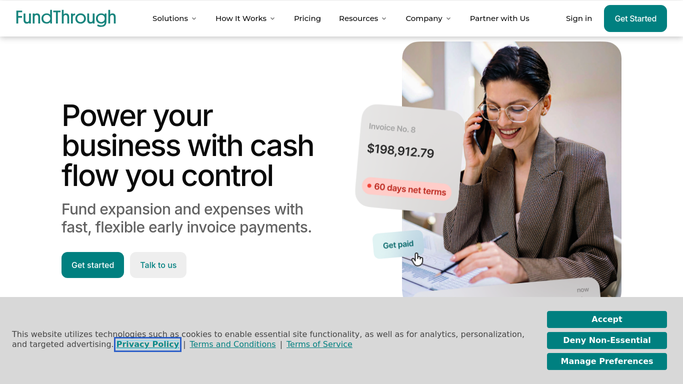
Velocity Invoice Factoring is the product doing the funding, and it runs off a connection rather than a folder. Sync QuickBooks, Xero or OpenInvoice and invoices arrive in the platform without anyone rekeying them. You choose the customers and the individual invoices you want funded, so one slow-paying account can be factored without committing the whole ledger to it. The platform verifies the invoice and the customer, and the money reaches your connected bank account minus a flat fee.
All of that operates on invoices the platform has been given. It reads your accounting package, and it reads what you upload.
What it cannot open is your customer's accounts payable portal, which is the one place that says whether the invoice was received, approved and scheduled for payment on a date. It cannot read your bank, or go back to the ledger it synced from, to confirm what actually settled. The funding is not the gap. Everything you have to check around it is.
The funding position can be built before the stand-up
One list can hold every open request, its status, and the reason the stuck ones are stuck.
Every open funding request read each morning with its current status, so what is approved, what is pending and what is stuck exists as one list before anyone asks. The stuck ones separated out with the real reason attached, and the missing purchase order or signed delivery note chased from the person who has it, in a message a human reads before it goes.
The customer's payable portal checked for each factored invoice: received, approved, scheduled, and for what date. That is the number that decides whether the arrangement is working, and it lives on a site your accounting package has never heard of.
Fees for the period pulled and lined up against the schedule you agreed, with any difference named while it is still a conversation. Advances matched against what cleared into the bank and what was posted to the ledger, so all three agree.
And the customers themselves watched over time. Which ones pay late every quarter, which are drifting further out, which are worth funding and which are worth a different conversation entirely.
Drawing on an invoice is a decision about cost
Choosing to fund an invoice is a judgement about what money is worth to you this month. Finding out which invoices are eligible, which are blocked and what has actually been paid is not.
WebRun is an AI agent that works a real Chrome browser, signed in as you. It opens FundThrough, your customer's payable portal, the bank and the accounting package, reads what each one says, and brings back the comparison with the gaps named.
It runs on your schedule in your own private environment, and you can watch a run and stop it. It does not select invoices for funding, submit a funding request, or send anything to a customer. Money moving is a decision, and decisions wait for you.
The workflows below are already built, and each one names what it opens.
Questions people ask
Will it submit invoices for funding on its own?
No. Selecting invoices and submitting a funding request stays with you. It reads the platform, assembles the list and shows what looks eligible, but the decision to draw on an invoice is never taken unattended.
Can it check a customer's accounts payable portal?
Yes, and that is usually the useful part. It signs into the portal the way your credit controller does, reads whether the invoice has been approved and scheduled, and reports the date it finds there.
Is an API or a developer needed for this?
No. It works the interfaces you already use, signed in as you, which is how it reaches the customer portals and bank sites that publish no API at all.
13 ready-made FundThrough workflows
Each one names the apps it touches and the exact steps it takes. Open one to read what it will do, then turn it on.





Want one of these running on your own FundThrough?
Show WebRun the process once and it will run it on schedule, in your own private browser environment.