Kick off new invoice factoring client onboarding in FundThrough
When your team signals a new client is ready to onboard, WebRun opens FundThrough to begin the account setup, creates a client onboarding record in Airtable with the key milestones to track, and drafts a welcome email in Gmail covering the first steps, so your team can review the draft and send it with confidence.
- No credit card
- Under $0.01 per run
- Cancel anytime
What does WebRun do on every run?
The exact actions WebRun takes, in order - in plain language, so you can adjust anything.
-
WebRun signs in and gets to work
Opens
app.fundthrough.comin a real browser with your saved login - no setup, no API keys. -
1
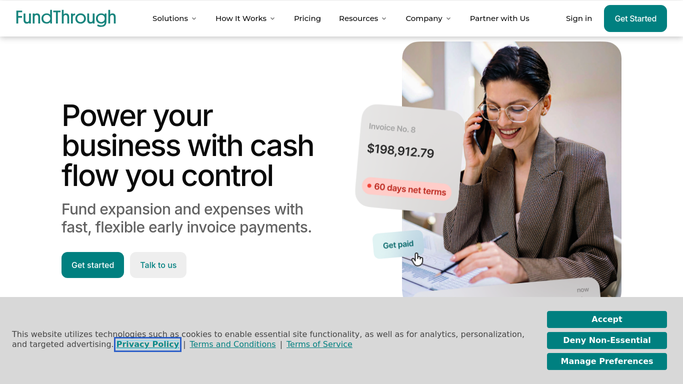
FundThrough - begin the new client account setup
fundthrough.com How to Automate FundThrough

WebRun opens FundThrough to begin the new client account setup. - Open FundThrough and navigate to the client setup area
- Enter the new client's business name, contact details, and agreed advance rate and fee structure
- Flag any fields that require additional documentation before the account is fully active
- Note the setup status and any pending items
Done when The new client record is created in FundThrough with all available details and pending items noted.
-
2
Airtable - create a client onboarding record with key milestones
airtable.com How to Automate Airtable
WebRun opens Airtable to create a client onboarding record with key milestones. - Open the client onboarding tracking base in Airtable
- Create a new record for the client with their name, account manager, start date, agreed rate, and onboarding milestone checklist
- Set initial milestone statuses: account created, documents received, first invoice submitted, first funding disbursed
- Assign the record to the responsible account manager
Done when The client has an Airtable onboarding record with milestones set and assigned to an account manager.
-
3
Gmail - draft the welcome email with onboarding next steps
gmail.com How to Automate Gmail
WebRun opens Gmail to draft the welcome email with onboarding next steps. - Draft a professional welcome email addressed to the new client covering: how to submit their first invoice, typical funding timeline, who their account manager is, and where to direct questions
- Save the email as a Gmail draft without sending, for your team to review and personalize
- Include a placeholder for any bespoke terms the team needs to add before sending
Done when A Gmail draft welcome email exists for the new client, unsent and staged for team review.


How do I automatically kick off onboarding for a new invoice factoring client?
When a new factoring client is ready to onboard, WebRun opens FundThrough to begin the account setup, creates a milestone-tracked onboarding record in Airtable with the key steps from account creation to first funding, and drafts a welcome email in Gmail covering the client's next steps. No email goes out until your team reviews and sends it.
- New client account, Airtable record, and welcome draft are ready within one run
- Missing information is flagged before it delays onboarding
- No welcome email goes out without a human reviewing it first
Built for invoice factoring providers · factoring account managers · factoring operations teams · small business lenders
How is each run configured?
Secure by default
Connect once, stays signed in
WebRun signs in once and keeps each session in a persistent environment, so every run picks up right where it left off.
Every action is checked against this policy before it runs.
Questions, answered
Will it send the welcome email to the new client automatically?
No. The welcome email is saved as a Gmail draft for your team to review, personalize, and approve before it is sent to the client.
What if not all the client's information is available yet?
WebRun creates the FundThrough account and Airtable record with the information provided and flags any missing fields as pending items so your team knows what still needs to be collected.
Can the Airtable onboarding milestones be customized?
Yes. During setup you specify the milestone names and sequence that match your onboarding process. WebRun applies your template to every new client record it creates.
Related templates
Put this on autopilot.
Turn it on in minutes - or have our team set it up for you.