Queue advance rate reviews for your FundThrough clients
Every Monday, WebRun opens FundThrough, reviews payment performance signals across your client portfolio, identifies clients whose advance rate may need reconsideration based on debtor payment history or volume changes, and builds a prioritized Google Sheets review queue with a brief Slack notification for your team.
- No credit card
- Under $0.01 per run
- Cancel anytime
What does WebRun do on every run?
The exact actions WebRun takes, in order - in plain language, so you can adjust anything.
-
WebRun signs in and gets to work
Opens
app.fundthrough.comin a real browser with your saved login - no setup, no API keys. -
1
FundThrough - review client payment performance for advance rate signals
fundthrough.com How to Automate FundThrough

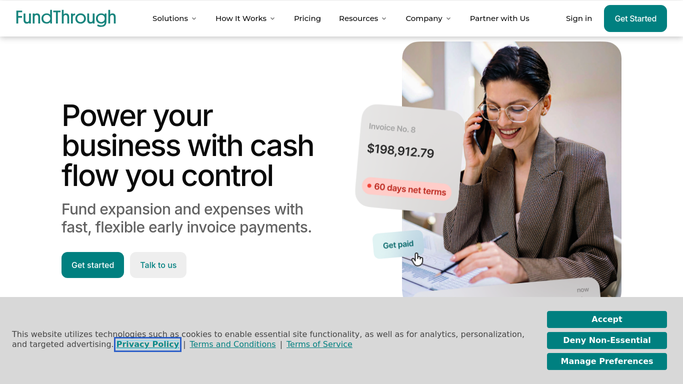
WebRun opens FundThrough to review client payment performance for advance rate signals. - Open FundThrough and navigate to the client and invoice overview
- Check debtor payment history for each client: average days to payment versus agreed terms
- Flag clients where debtors are paying consistently late, or where funding volume has jumped significantly
- Note the client name, current advance rate, volume funded this period, and average debtor payment days
Done when Every client with a payment-performance signal warranting rate review is identified and documented.
-
2
Google Sheets - build the prioritized advance rate review queue
google.com How to Automate Google Sheets
WebRun opens Google Sheets to build the prioritized advance rate review queue. - Open the advance rate review tracking sheet
- Add a row for each flagged client with name, current advance rate, signal type, volume, and average payment days
- Sort by severity of signal (most overdue debtors or largest volume jumps first)
- Timestamp the sheet and mark previous-week entries as archived
Done when The Google Sheet has this week's prioritized advance rate review queue with fresh data.
-
3
Slack - notify the team that the review queue is ready
slack.com How to Automate Slack
WebRun opens Slack to notify the team that the review queue is ready. - Post a brief Slack message to the factoring team channel noting how many clients are in the review queue this week
- Link to the Google Sheet for full details
Done when The team is alerted in Slack that the advance rate review queue is ready for action.


How do I automatically identify FundThrough clients that need an advance rate review?
WebRun opens FundThrough every Monday, checks debtor payment performance and volume trends across your client portfolio, and builds a prioritized Google Sheets queue of clients whose advance rate may need reconsideration. A Slack note alerts your team when the queue is ready. All rate decisions remain with your team.
- Rate-review candidates surface weekly before the next funding cycle
- Queue is ranked by severity so the highest-risk clients are reviewed first
- Team spends minutes reviewing a prepared list instead of auditing all clients manually
Built for factoring operations teams · factoring account managers · invoice factoring providers · finance controllers
How is each run configured?
Secure by default
Connect once, stays signed in
WebRun signs in once and keeps each session in a persistent environment, so every run picks up right where it left off.
Every action is checked against this policy before it runs.
Questions, answered
Will it automatically change a client's advance rate?
No. WebRun only identifies clients who may warrant a review and queues them for your team. All rate decisions are made by humans after reviewing the queue.
What signals trigger a rate review flag?
WebRun flags clients where debtors are averaging more days to payment than the agreed terms, or where funded volume has increased significantly since the last rate was set. You can adjust these thresholds during setup.
What if no clients need review this week?
WebRun posts a brief Slack note confirming that all clients are within normal performance ranges, so your team knows the check ran cleanly.
Related templates
Put this on autopilot.
Turn it on in minutes - or have our team set it up for you.