Keep your team updated on every FundThrough funding request
Every morning, WebRun opens FundThrough, checks the status of every open funding request, notes any that advanced, any pending review, and any requiring action, then posts a plain-English digest to your Slack channel so nothing stalls unnoticed.
- No credit card
- Under $0.01 per run
- Cancel anytime
What does WebRun do on every run?
The exact actions WebRun takes, in order - in plain language, so you can adjust anything.
-
WebRun signs in and gets to work
Opens
app.fundthrough.comin a real browser with your saved login - no setup, no API keys. -
1
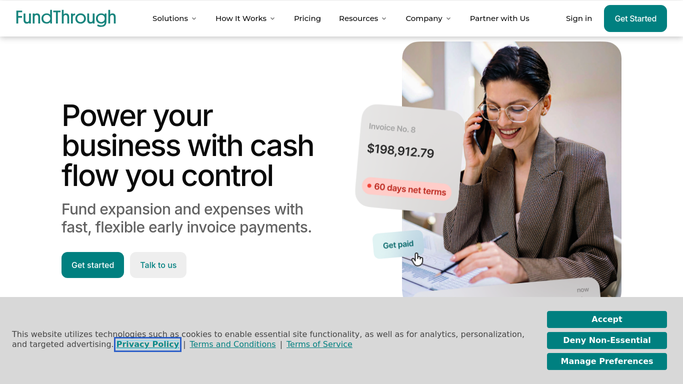
FundThrough - read all open funding request statuses
fundthrough.com How to Automate FundThrough

WebRun opens FundThrough to read all open funding request statuses. - Open FundThrough and navigate to the funding requests dashboard
- Capture the status of each open request: pending, in review, approved, or funded
- Note the invoice amount, debtor name, and days since submission for each
- Flag any requests that have been pending for more than two business days
Done when Every open funding request has a recorded status and any stalled items are flagged.
-
2
Slack - post the daily funding status digest
slack.com How to Automate Slack
WebRun opens Slack to post the daily funding status digest. - Format a short digest listing each request with its status, amount, and debtor
- Put flagged or stalled requests at the top of the list
- Post the digest to the designated Slack channel for the finance team
Done when The team has this morning's funding status digest in Slack.

How do I get a daily status update on my FundThrough funding requests?
WebRun checks FundThrough every morning, reads the status of every open funding request, and posts a plain-English digest to Slack showing which invoices are funded, pending, or stalled. The team sees a ranked list with amounts and debtors before the workday starts, with no manual checking required.
- Team sees every funding request status before the workday starts
- Stalled requests are flagged automatically so nothing waits unnoticed
- No manual login to FundThrough needed each morning
Built for small business finance teams · accounts receivable managers · factoring clients · CFOs
How is each run configured?
Secure by default
Connect once, stays signed in
WebRun signs in once and keeps each session in a persistent environment, so every run picks up right where it left off.
Every action is checked against this policy before it runs.
Questions, answered
Will it take any action on my funding requests?
No. WebRun reads statuses and reports them. It never submits, approves, or modifies a funding request on your behalf.
How does it know which requests are stalled?
It flags any request that has been in pending or in-review status for more than two business days, so your team can follow up with FundThrough directly.
Can it post to a private Slack channel?
Yes. Point WebRun at any channel your Slack workspace allows, including private ones the bot has been invited to.
Related templates
Put this on autopilot.
Turn it on in minutes - or have our team set it up for you.