Chase missing factoring documents before they stall your funding
Every morning, WebRun opens FundThrough, identifies funding requests stalled because a required document is missing, drafts a professional chaser email for each blocked request, and posts a summary to Slack so your team can review and send the chasers with one click.
- No credit card
- Under $0.01 per run
- Cancel anytime
What does WebRun do on every run?
The exact actions WebRun takes, in order - in plain language, so you can adjust anything.
-
WebRun signs in and gets to work
Opens
app.fundthrough.comin a real browser with your saved login - no setup, no API keys. -
1
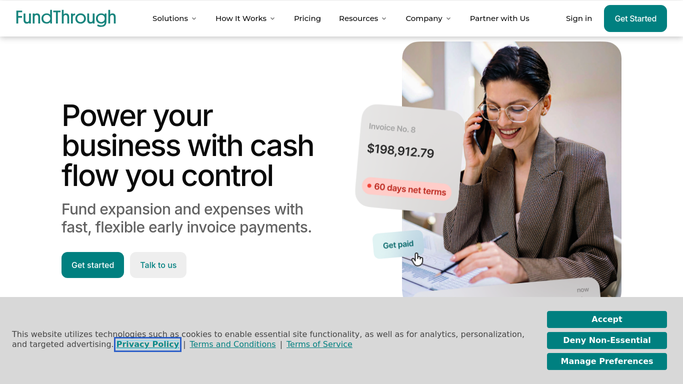
FundThrough - find funding requests blocked by missing documents
fundthrough.com How to Automate FundThrough

WebRun opens FundThrough to find funding requests blocked by missing documents. - Open FundThrough and filter funding requests to those showing a document-required or incomplete status
- Capture the client name, invoice number, missing document type, and how long the request has been blocked
- Sort by days blocked, longest first
Done when Every document-blocked funding request is listed with the specific missing item and days waiting.
-
2
Gmail - draft a chaser email for each blocked request
gmail.com How to Automate Gmail
WebRun opens Gmail to draft a chaser email for each blocked request. - Draft a polite, professional chaser email for each blocked request naming the specific document needed
- Address each draft to the relevant client contact
- Save each as a Gmail draft without sending, for human review
Done when A Gmail draft chaser exists for every blocked funding request, unsent and ready for review.
-
3
Slack - notify the team that chasers are ready for review
slack.com How to Automate Slack
WebRun opens Slack to notify the team that chasers are ready for review. - Post a summary to the finance Slack channel listing how many chasers were drafted and which requests are most overdue
- Include a reminder that each draft must be reviewed before sending
Done when The team is notified in Slack that chaser drafts are ready in Gmail for review.


How do I automatically chase clients for missing factoring documents?
WebRun checks FundThrough every morning for funding requests blocked by a missing document, drafts a professional chaser email in Gmail for each one naming the exact document needed, then posts a Slack summary so the team can review and send with a single click. No email leaves without human approval.
- Every document-blocked funding request gets a chaser draft the same morning
- No email is sent without human review, keeping client relationships safe
- Team spends seconds reviewing drafts instead of hours writing chasers
Built for factoring operations teams · accounts receivable managers · invoice factoring clients · small business finance teams
How is each run configured?
Secure by default
Connect once, stays signed in
WebRun signs in once and keeps each session in a persistent environment, so every run picks up right where it left off.
Every action is checked against this policy before it runs.
Questions, answered
Will it send the chaser emails automatically?
No. WebRun saves every chaser as a Gmail draft for your team to review. No email is sent until a human approves and clicks Send.
How does it know which document is missing?
It reads the document-status fields in FundThrough for each blocked funding request and names the specific missing item in the draft, such as a signed invoice or proof of delivery.
What if the same request is still blocked tomorrow?
WebRun will draft another chaser the next morning. Your team can discard the duplicate if one was already sent, or use it as a follow-up escalation.
Related templates
Put this on autopilot.
Turn it on in minutes - or have our team set it up for you.