Reconcile your FundThrough factoring fees automatically each month
On the first business day of each month, WebRun opens FundThrough, pulls every fee transaction from the prior month, compares each against your agreed fee rate, calculates the expected fee per advance, flags any line where the charged fee differs from the expected amount, and writes a full reconciliation report to Google Sheets with a Slack notification if discrepancies are found.
- No credit card
- Under $0.01 per run
- Cancel anytime
What does WebRun do on every run?
The exact actions WebRun takes, in order - in plain language, so you can adjust anything.
-
WebRun signs in and gets to work
Opens
app.fundthrough.comin a real browser with your saved login - no setup, no API keys. -
1
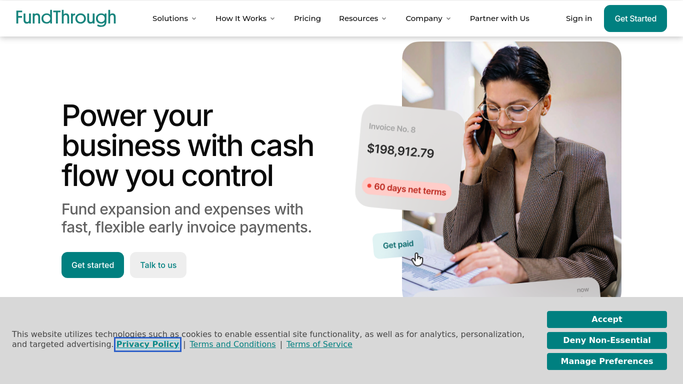
FundThrough - pull all fee transactions for the prior month
fundthrough.com How to Automate FundThrough

WebRun opens FundThrough to pull all fee transactions for the prior month. - Open FundThrough and navigate to the fee or transaction history section
- Filter to the prior calendar month and export all fee line items: invoice number, advance amount, fee charged, and fee date
- Calculate the expected fee for each advance using the agreed rate from your fee schedule
- Identify any line where the charged fee differs from the expected amount by more than your tolerance (commonly 1 dollar)
Done when Every fee transaction for the period is captured with the expected versus charged comparison and any discrepancies noted.
-
2
Google Sheets - write the reconciliation report with discrepancy flags
google.com How to Automate Google Sheets
WebRun opens Google Sheets to write the reconciliation report with discrepancy flags. - Open the monthly fee reconciliation workbook
- Write each fee line into a new month tab with columns for invoice number, advance amount, expected fee, charged fee, and variance
- Highlight rows where variance exceeds the tolerance threshold
- Add a summary row with total fees charged, total expected, and total variance for the month
Done when The reconciliation sheet has every fee line with variance flagging and a month-level summary.
-
3
Slack - alert the team if any fee discrepancy is found
slack.com How to Automate Slack
WebRun opens Slack to alert the team if any fee discrepancy is found. - If any discrepancies are found, post a Slack alert to the finance channel listing the number of mismatched lines and the total variance amount
- If the month reconciles cleanly, post a brief confirmation that fees matched the agreed schedule with the total fees paid
- Include a link to the Google Sheet for full details
Done when The finance team is notified in Slack whether the month reconciled cleanly or has items to review.


How do I automatically reconcile my monthly FundThrough factoring fees?
On the first business day of each month, WebRun opens FundThrough, pulls every fee transaction from the prior month, compares each against your agreed rate to calculate the expected fee, and flags any variance. A full reconciliation report lands in Google Sheets and a Slack message confirms whether the month was clean or needs review.
- Fee discrepancies surface at month end before they accumulate
- Clean months are confirmed automatically so records stay complete
- Team gets the full reconciliation sheet in Google Sheets ready for the audit file
Built for invoice factoring clients · CFOs · accounts receivable managers · finance controllers
How is each run configured?
Secure by default
Connect once, stays signed in
WebRun signs in once and keeps each session in a persistent environment, so every run picks up right where it left off.
Every action is checked against this policy before it runs.
Questions, answered
Will it dispute fees with FundThrough automatically?
No. WebRun identifies and reports discrepancies only. Any dispute or query must be raised by your team directly with FundThrough after reviewing the reconciliation report.
Where does it get the agreed fee schedule from?
You provide your agreed fee rate or schedule during setup. WebRun applies this rate to every advance in the period to calculate the expected fee for comparison.
What if the month reconciles perfectly?
WebRun still posts a Slack confirmation showing the total fees paid and confirming the fees matched the agreed schedule, so your records are complete even on clean months.
Related templates
Put this on autopilot.
Turn it on in minutes - or have our team set it up for you.