Chase vendors for status on their open work orders
Every Thursday, WebRun opens UpKeep, finds work orders assigned to outside vendors that have not been updated in 5 days, drafts a polite status follow-up email for each vendor in Gmail, and posts a Slack summary of what's still awaiting a reply so nothing stalls with a contractor.
- No credit card
- Under $0.01 per run
- Cancel anytime
How do I follow up with vendors on stalled work orders?
WebRun checks UpKeep every Thursday for work orders assigned to outside vendors with no status update in 5 days, then drafts a status follow-up email for each vendor contact in Gmail, unsent. It posts a Slack summary of who still owes a reply, so a manager can review and send the drafts instead of a stalled job going unnoticed.
- Vendor work orders stalled more than 5 days get a drafted follow-up automatically
- No follow-up email reaches a vendor without a manager approving it first
- A weekly summary shows exactly which vendors still owe a reply
Built for facilities managers · maintenance supervisors · property operations teams · multi-site facilities
What does WebRun do on every run?
The exact actions WebRun takes, in order - in plain language, so you can adjust anything.
-
WebRun signs in and gets to work
Opens
app.onupkeep.comin a real browser with your saved login - no setup, no API keys. -
1
UpKeep - find stalled vendor work orders
upkeep.com How to Automate UpKeep
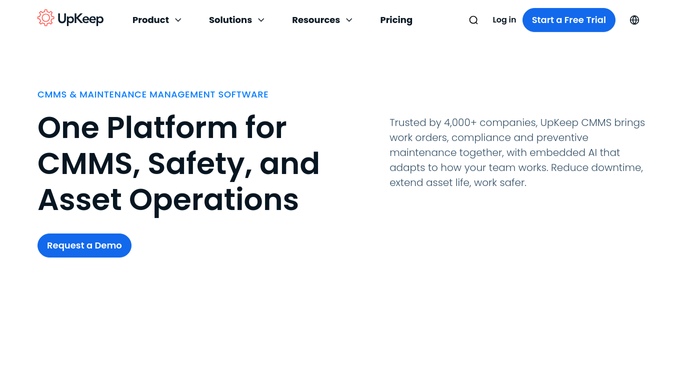
WebRun opens UpKeep to find stalled vendor work orders. - Open UpKeep and filter work orders assigned to an outside vendor or contractor
- Find any with no status update in the last 5 days
- Capture the vendor contact, work order details, and days since the last update
Done when Every stalled vendor work order is listed with its vendor contact and days since update.
-
2
Gmail - draft a status follow-up
gmail.com How to Automate Gmail

WebRun drafts a status follow-up email in Gmail and leaves it unsent. - Draft a polite, on-brand status follow-up email to each vendor's contact
- Reference the work order number and the date it was assigned
- Save each as a draft in Gmail. Do not send any email to the vendor
Done when A draft follow-up email sits ready for review for every stalled vendor work order.
-
3
Slack - summarize who still owes a reply
slack.com How to Automate Slack

WebRun posts the vendor follow-up summary to Slack. - Post a summary to the maintenance channel listing which vendors have a drafted follow-up waiting
- Flag any vendor with more than one stalled work order
- Leave sending the drafts for a manager to review and approve
Done when A manager has this week's vendor follow-up summary and the drafts to review in Slack.
How is each run configured?
Secure by default
Connect once, stays signed in
WebRun signs in once and keeps each session in a persistent environment, so every run picks up right where it left off.
Every action is checked against this policy before it runs.
Questions, answered
Will WebRun email the vendor without me?
No. Every follow-up is saved as a Gmail draft, never sent automatically. A manager reviews and sends each one from Slack.
How does it decide a work order is stalled?
Any work order assigned to an outside vendor with no status update in UpKeep for 5 days counts as stalled. Ask WebRun to use a different number of days and it will.
What if the vendor already replied by email?
WebRun only checks the status inside UpKeep, so update the work order once you hear from the vendor and it drops off the next Thursday's list.
Related templates
Put this on autopilot.
Turn it on in minutes - or have our team set it up for you.