Keep an inventory of every image you publish
Every Monday, WebRun signs into Docker Hub, walks every repository in your organisation, records visibility, tag count, the newest tag, the last push date and pull activity, updates your inventory sheet in Google Drive, and texts you when a repository is public or has not been pushed to in months.
- No credit card
- Under $0.01 per run
- Cancel anytime
How do I keep an inventory of my Docker Hub repositories and tags?
WebRun signs into Docker Hub every Monday and catalogues each repository with its visibility, tag count, newest tag, last push date, and pull activity. It updates your inventory sheet in Google Drive with a dated snapshot, then texts your admin number when a repository is unexpectedly public or has gone stale.
- An unexpectedly public repository is caught within a week
- The inventory sheet keeps a dated history you can audit against
- Stale images are counted weekly instead of discovered at cleanup time
Built for platform engineers · DevOps teams · security engineers · engineering managers
What does WebRun do on every run?
The exact actions WebRun takes, in order - in plain language, so you can adjust anything.
-
WebRun signs in and gets to work
Opens
hub.docker.comin a real browser with your saved login - no setup, no API keys. -
1
Docker Hub - catalogue repositories and tags
docker.com
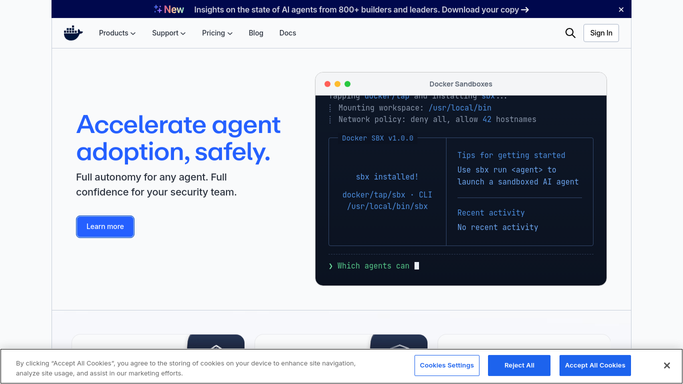
WebRun opens Docker Hub to catalogue repositories and tags. - Sign into Docker Hub and open your organisation's repository list
- For each repository, record the name, whether it is public or private, the tag count, and the newest tag
- Record the last push date and the recent pull activity
- Flag public repositories not on your approved public list, and repositories with no push in 180 days
Done when Every repository has visibility, tag, and last push details recorded.
-
2
Google Drive - update the inventory sheet
drive.google.com How to Automate Google Drive

WebRun opens Google Drive to update the inventory sheet. - Open your image inventory sheet in Google Drive
- Update a row per repository with visibility, tag count, newest tag, last push date, and pull activity
- Add a dated snapshot tab so you keep the week-by-week history
- Type the rows into the existing sheet. Never upload a file
Done when The inventory sheet in Drive matches what Docker Hub shows today.
-
3
Twilio - text about exposure and stale images
twilio.com How to Automate Twilio

WebRun opens Twilio to text about exposure and stale images. - Open Twilio and write a short text naming any repository that is public but not on your approved list
- Add the count of repositories with no push in 180 days
- Send it only to the admin number saved in your settings
- Never change a repository's visibility. The text exists so a person can review and decide
Done when You have been texted about exposure and stale images, or nothing needed sending.
How is each run configured?
Secure by default
Connect once, stays signed in
WebRun signs in once and keeps each session in a persistent environment, so every run picks up right where it left off.
Every action is checked against this policy before it runs.
Questions, answered
Will it change repository visibility or delete tags?
No. WebRun reads your repositories and writes only to your Google Drive sheet. Changing visibility, deleting a tag, or removing a repository stays a manual decision for an administrator.
Does it pull or push images?
No. Shell commands are blocked by policy, so WebRun never runs a docker command. It reads the repository pages in the browser and records what they show.
Why flag repositories with no recent push?
Because unused images accumulate and still get pulled. The count reaches you by text each week so someone can archive them before they become an unmaintained dependency.
Related templates
Put this on autopilot.
Turn it on in minutes - or have our team set it up for you.