Catch vulnerable Docker images before they ship
Every morning, WebRun opens Docker Hub, checks each repository's latest tag for newly flagged vulnerabilities, creates a Trello card naming the repository, tag, and severity for anything new, and posts an alert to Microsoft Teams so the fix gets picked up before that image ships anywhere else.
- No credit card
- Under $0.01 per run
- Cancel anytime
How do I catch vulnerable Docker Hub images before they ship?
WebRun checks Docker Hub every morning for repositories whose latest image tag has a newly flagged vulnerability. It creates a Trello card naming the repository, tag, and severity, and posts an alert to Microsoft Teams, so a vulnerable image gets a tracked fix before it ships anywhere else in your stack.
- Newly vulnerable images get a tracked fix the same morning they're flagged
- Critical severity findings stand out first in every alert
- Fixed images clear from the board automatically
Built for DevOps teams · platform engineers · security teams · container platform owners
What does WebRun do on every run?
The exact actions WebRun takes, in order - in plain language, so you can adjust anything.
-
WebRun signs in and gets to work
Opens
hub.docker.comin a real browser with your saved login - no setup, no API keys. -
1
Docker Hub - find images with new vulnerabilities
docker.com
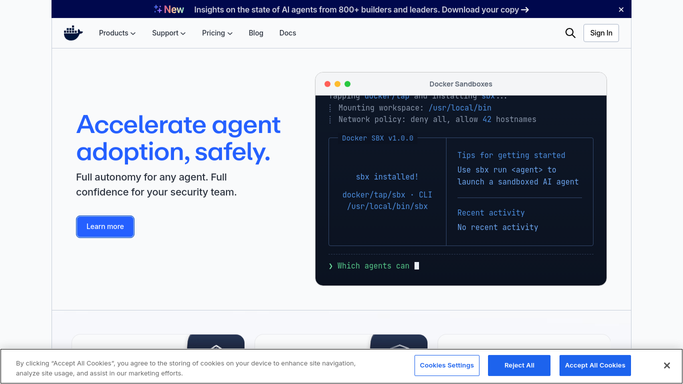
WebRun opens Docker Hub to find images with new vulnerabilities. - Open Docker Hub and check the vulnerability scan results for each repository's latest tag
- Capture the repository, tag, and highest severity finding for anything newly flagged
- Skip repositories whose findings were already carded
Done when Every repository with a newly flagged vulnerability is listed with its severity.
-
2
Trello - card the fix for the team
trello.com How to Automate Trello

WebRun opens Trello to card the fix for the team. - Create a card on the image security board for each newly flagged repository
- Title it with the repository and tag, and note the highest severity finding
- Move the card to done once a run shows the tag is clean again
Done when Every newly flagged repository has a card, and resolved ones are marked done.
-
3
Microsoft Teams - alert the channel
microsoft.com How to Automate Microsoft Teams

WebRun opens Microsoft Teams to alert the channel. - Post an alert to the platform channel naming the repository and severity
- Group the message by severity so critical findings stand out first
- Link the Trello card in the message
Done when The platform channel has an alert for every newly flagged repository.
How is each run configured?
Secure by default
Connect once, stays signed in
WebRun signs in once and keeps each session in a persistent environment, so every run picks up right where it left off.
Every action is checked against this policy before it runs.
Questions, answered
Will it remove or replace the vulnerable image?
No. WebRun only reports what it finds. Rebuilding or replacing an image is always done by your engineers.
Does it scan the images itself?
No. It reads the vulnerability scan results Docker Hub already produces. WebRun does not run its own scans.
What happens once a fix ships?
Its Trello card moves to done automatically the next time the scan shows that tag is clean.
Related templates
Put this on autopilot.
Turn it on in minutes - or have our team set it up for you.