Convert detailing quotes into booked jobs
Every morning, WebRun opens Mobile Tech RX, finds quotes sent 24 and 72 hours ago that are still unanswered, drafts a polite follow-up for each customer, queues those messages for your review, and posts a conversion opportunity list to Slack.
- No credit card
- Under $0.01 per run
- Cancel anytime
How do I automatically follow up on unanswered auto detailing quotes?
WebRun opens Mobile Tech RX every morning, finds quotes that have been unanswered for 24 or 72 hours, and drafts a personalised follow-up SMS via Twilio and email via Gmail for each customer. All messages are queued for your approval. A Slack list ranks open quotes by value so your team can prioritise personal outreach on the biggest jobs.
- Unanswered quotes get a timed follow-up before the customer books elsewhere
- High-value quotes are flagged for a personal phone call
- Accepted and declined quotes are skipped automatically each run
Built for auto detailing shops · mobile detailers · ceramic coating studios · car care businesses
What does WebRun do on every run?
The exact actions WebRun takes, in order - in plain language, so you can adjust anything.
-
WebRun signs in and gets to work
Opens
app.mobiletechrx.comin a real browser with your saved login - no setup, no API keys. -
1
Mobile Tech RX - find unanswered quotes
mobiletechrx.com
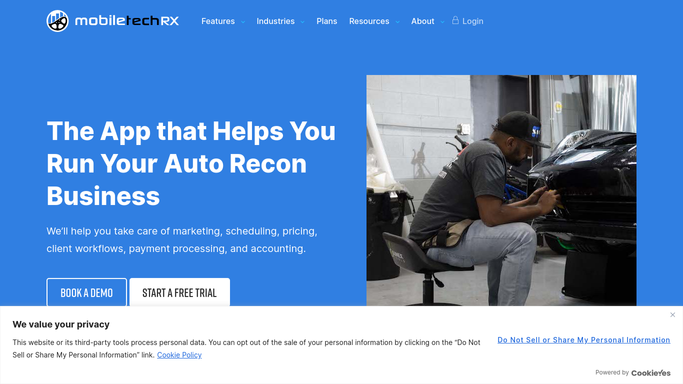
WebRun opens Mobile Tech RX to find unanswered quotes. - Open Mobile Tech RX and navigate to the estimates or quotes section
- Filter to quotes with a status of sent but not accepted or declined
- Identify quotes sent 24 hours ago (first follow-up) and 72 hours ago (second follow-up)
- Capture customer name, quote amount, services quoted, and contact details
- Skip quotes already marked accepted, declined, or converted to a job
Done when All open, unanswered quotes are listed with their age and customer contact details.
-
2
Twilio - draft follow-up SMS for review
twilio.com How to Automate Twilio

WebRun opens Twilio to draft follow-up SMS for review. - Draft a short, friendly follow-up SMS for each customer with a mobile number on file
- For 24-hour quotes, use a light check-in tone; for 72-hour quotes, include a gentle urgency note about slot availability
- Queue each SMS as a draft for your approval before sending
- Never send automatically without human review
Done when Follow-up SMS drafts are queued for every open quote customer with a mobile number.
-
3
Gmail - draft follow-up email for review
gmail.com How to Automate Gmail

WebRun opens Gmail to draft follow-up email for review. - Draft a follow-up email for customers who prefer email contact
- Reference the specific services quoted and the vehicle to make it feel personal
- Save as a Gmail draft for your review before sending
- Never send automatically without human review
Done when Follow-up email drafts are saved in Gmail for every open email-preference quote.
-
4
Slack - post open quote list to team
slack.com How to Automate Slack

WebRun opens Slack to post open quote list to team. - Post a list of open quotes to the team channel, sorted by quote value (highest first)
- Show customer name, quote amount, services, and how many days the quote has been open
- Flag any quote over your high-value threshold for a personal phone call
Done when Team has a ranked list of open quotes and their follow-up status in Slack.
How is each run configured?
Secure by default
Connect once, stays signed in
WebRun signs in once and keeps each session in a persistent environment, so every run picks up right where it left off.
Every action is checked against this policy before it runs.
Questions, answered
Will it send follow-up messages without my approval?
No. Every follow-up SMS and email is drafted and queued for your review first. Nothing reaches a customer until you approve and send it.
How many times will it follow up on one quote?
It drafts follow-ups at the 24-hour and 72-hour marks by default. After a quote is declined or accepted in Mobile Tech RX, it is removed from the list automatically.
What if a customer already accepted the quote?
WebRun reads live quote status from Mobile Tech RX each morning, so anyone who has accepted or whose job is already booked is skipped automatically.
Related templates
Put this on autopilot.
Turn it on in minutes - or have our team set it up for you.