Start every detailing day with a full crew briefing
Every morning before the shop opens, WebRun opens Urable, compiles the full day's appointment schedule with technician assignments and service details, and posts a structured daily briefing to your team Slack channel so everyone arrives knowing exactly what is on.
- No credit card
- Under $0.01 per run
- Cancel anytime
What does WebRun do on every run?
The exact actions WebRun takes, in order - in plain language, so you can adjust anything.
-
WebRun signs in and gets to work
Opens
app.urable.comin a real browser with your saved login - no setup, no API keys. -
1
Urable - compile today's full schedule
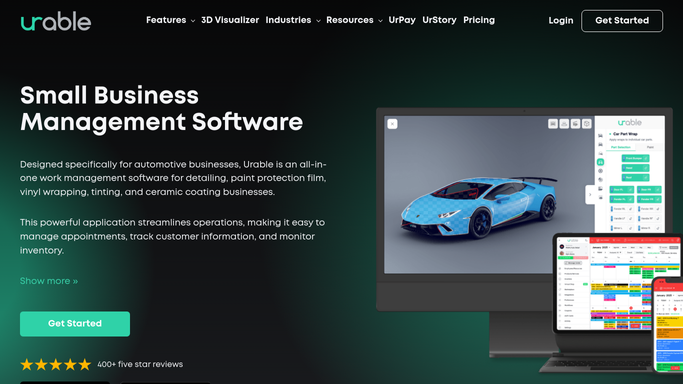
urable.com How to Automate Urable

WebRun opens Urable to compile today's full schedule. - Open Urable and navigate to today's appointment calendar
- List every booked job for the day in time order, with customer name, vehicle, and services scheduled
- Note which technician or bay is assigned to each job
- Flag any confirmed, unconfirmed, or at-risk appointments
- Check for any jobs that require special preparation, products, or extended time
- Note any vehicles receiving ceramic coating or paint correction that need extra bay time
Done when A complete, structured list of today's jobs is compiled with assignments, statuses, and any special notes.
-
2
Slack - post daily briefing to team
slack.com How to Automate Slack
WebRun opens Slack to post daily briefing to team. - Post the daily schedule digest to the team channel before the shop opens
- Format it clearly: time, customer, vehicle, service, technician, and confirmation status for each job
- Add a short summary at the top showing total bookings, total estimated revenue, and any unconfirmed slots
- Tag any technicians with jobs that have special requirements
Done when Every team member has today's full schedule in Slack before the first appointment.

How do I automatically send my detailing team a daily schedule briefing each morning?
WebRun opens Urable every morning before the shop starts and compiles the full day's appointment schedule, including technician assignments, service types, vehicle details, and confirmation statuses. It posts a structured briefing to your team Slack channel with a top-line summary of total bookings and estimated revenue, so every team member is ready before the first car arrives.
- Every technician sees their assignments before the first car arrives
- Unconfirmed slots are flagged so the team can chase them early
- Owner sees total estimated daily revenue in a single Slack message
Built for auto detailing shop owners · detailing team managers · ceramic coating studios · mobile detailing crews
How is each run configured?
Secure by default
Connect once, stays signed in
WebRun signs in once and keeps each session in a persistent environment, so every run picks up right where it left off.
Every action is checked against this policy before it runs.
Questions, answered
Does it send anything to customers?
No. This is a purely internal digest posted to your team Slack channel. No customer receives any message from this workflow.
What if a booking changes after the digest goes out?
The digest is a morning snapshot from Urable. For a live view, your team can check Urable directly. You can also run the digest again mid-day if your schedule changes significantly.
Can it include notes about specific customer preferences or vehicle conditions?
Yes. If you record customer notes or vehicle condition details in Urable, WebRun reads those and includes them in the relevant job entry in the digest.
Related templates
Put this on autopilot.
Turn it on in minutes - or have our team set it up for you.