Alert your team the moment stock hits reorder level
Every hour, WebRun checks your PDI Technologies inventory for any SKU that has fallen to or below its reorder point, groups the alerts by category, and sends a concise Telegram message to your buying team so restocks are placed the same day.
- No credit card
- Under $0.01 per run
- Cancel anytime
How can I get automatic low-stock alerts for my convenience store inventory?
WebRun scans your PDI Technologies inventory every hour for SKUs at or below their reorder point. It groups results by category and sends a Telegram alert to your buying team, skipping any item that already has an open purchase order, so restocks are placed the same day shelves run low.
- Low-stock items are flagged within an hour of hitting the reorder point
- Buyers receive grouped alerts by category so the right person acts
- Items with open purchase orders are never double-alerted
Built for convenience store buyers · c-store inventory managers · fuel retail operators
What does WebRun do on every run?
The exact actions WebRun takes, in order - in plain language, so you can adjust anything.
-
WebRun signs in and gets to work
Opens
pditechnologies.com/increase-productivity/erp-back-officein a real browser with your saved login - no setup, no API keys. -
1
PDI Technologies - scan inventory for SKUs at or below reorder point
pditechnologies.com How to Automate PDI Technologies
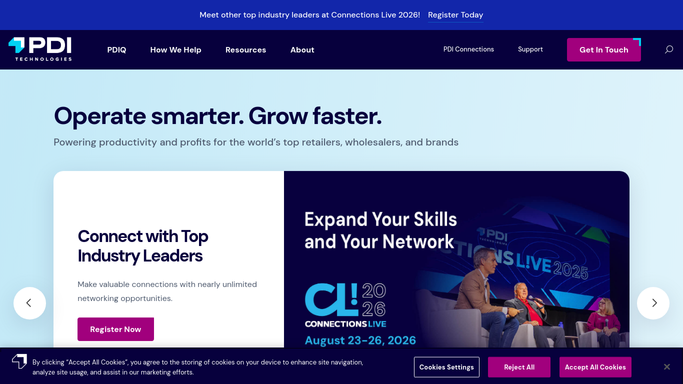
WebRun opens PDI Technologies to scan inventory for SKUs at or below reorder point. - Open PDI Technologies and navigate to the Inventory module
- Run a filter for all items where quantity on hand is at or below the minimum reorder quantity
- Group results by product category (tobacco, grocery, beverage, foodservice)
- Skip items that already have an open purchase order in PDI
Done when A list of SKUs needing reorder is compiled, grouped by category, with no duplicates.
-
2
Telegram - send grouped reorder alerts to the buying team
telegram.org How to Automate Telegram

WebRun opens Telegram to send grouped reorder alerts to the buying team. - Format a Telegram message with one line per SKU showing item name, current quantity, and reorder point
- Group items under their category heading
- Send to the configured buying team chat
- If no items are below threshold, skip sending to avoid noise
Done when Buying team has received the alert in Telegram, or no message was sent because stock is healthy.
How is each run configured?
Secure by default
Connect once, stays signed in
WebRun signs in once and keeps each session in a persistent environment, so every run picks up right where it left off.
Every action is checked against this policy before it runs.
Questions, answered
Will it send a Telegram for every SKU every hour?
No. WebRun skips items that already have an open purchase order in PDI, and it only sends a message when at least one new item crosses the threshold, keeping the channel noise-free.
Can it cover age-restricted items like tobacco separately?
Yes. Items are grouped by category, so tobacco, grocery, and beverage alerts appear under their own headings, making it easy for the right buyer to action each group.
Does it place orders automatically?
No. WebRun alerts your team and never places purchase orders on its own. A buyer reviews the list and places the order through your supplier portal.
Related templates
Put this on autopilot.
Turn it on in minutes - or have our team set it up for you.