Turn happy accounts into referrals
Every Monday, WebRun opens Vitally, finds accounts with strong health, high adoption, and a promoter NPS, identifies the champion on each, drafts a warm referral or case-study ask in Gmail for the CSM to review, and posts a Slack shortlist of advocacy candidates with the reason each one made the list.
- No credit card
- Under $0.01 per run
- Cancel anytime
How do I find happy customers ready to give a referral or review?
Every Monday, WebRun finds accounts in Vitally with green health, high adoption, and a promoter NPS, identifies the champion on each, and drafts a warm referral or case-study ask in Gmail for the CSM to review. It posts a Slack shortlist with why each account qualifies, so advocacy asks go out at the moment customers are happiest.
- Advocacy asks land while accounts are at their happiest
- Every candidate comes with a clear reason to say yes
- Referral emails are drafted, then reviewed by a human
Built for customer success teams · CSMs · SaaS companies · account managers
What does WebRun do on every run?
The exact actions WebRun takes, in order - in plain language, so you can adjust anything.
-
WebRun signs in and gets to work
Opens
login.vitally.ioin a real browser with your saved login - no setup, no API keys. -
1
Vitally - find happy accounts
vitally.io
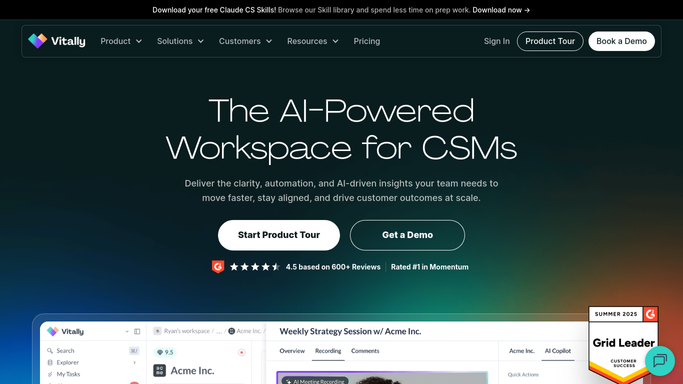
WebRun opens Vitally to find healthy, promoter accounts. - Open Vitally and filter to accounts with green health, high adoption, and a promoter NPS
- Read each account's recent wins, Success Metric progress, and last survey score
- Identify the champion contact and owning CSM for each qualifying account
Done when Every happy, high-health account has its champion and proof points captured.
-
2
Gmail - draft the advocacy ask
gmail.com How to Automate Gmail

WebRun drafts a tailored advocacy ask per champion. - Draft a warm, specific referral, review, or case-study ask to each champion
- Reference the win or metric that makes the ask feel earned
- Leave every email as a draft for the CSM to review. Never send automatically
Done when An advocacy ask draft is ready for each candidate champion.
-
3
Slack - share the candidate shortlist
slack.com How to Automate Slack

WebRun posts the advocacy candidate shortlist to Slack. - Post a shortlist of advocacy candidates to the CSM channel
- Note why each one qualifies: health, NPS, and the standout win
- @-mention the owner so the CSM can review the draft and decide who to ask
Done when The team has this week's advocacy shortlist in Slack.
How is each run configured?
Secure by default
Connect once, stays signed in
WebRun signs in once and keeps each session in a persistent environment, so every run picks up right where it left off.
Every action is checked against this policy before it runs.
Questions, answered
Will it ask customers for referrals on its own?
No. Every referral, review, or case-study ask is left as a Gmail draft for the CSM to review and send. WebRun finds the happy accounts and writes the first draft. The CSM decides who is the right person to ask and when.
How does it decide which accounts are advocacy-ready?
It looks for the combination of green health, high adoption, and a promoter NPS in Vitally, then surfaces the standout recent win, so each candidate has a clear reason to say yes to an ask.
Can it tell who to actually ask at the account?
Yes. It identifies the champion contact on each qualifying account in Vitally, so the drafted ask is addressed to the person most likely to advocate, not a generic billing contact.
Related templates
Put this on autopilot.
Turn it on in minutes - or have our team set it up for you.