Catch green coffee contracts before they quietly expire
Every Monday, WebRun opens Cropster, checks every green coffee purchase contract against its shipment window and expiry date, confirms the signed volume and pricing terms in DocuSign, and drafts a renewal or renegotiation email in Gmail to the exporter for any contract expiring within 30 days, left for your buying team to review and send.
- No credit card
- Under $0.01 per run
- Cancel anytime
How do I get reminded before a green coffee purchase contract expires?
Every Monday, WebRun checks every green coffee purchase contract in Cropster for its shipment window and expiry date, confirms the signed volume and pricing terms in DocuSign, and drafts a renewal outreach email in Gmail to the exporter for any contract expiring within 30 days, left unsent for your buying team to review, so no contract lapses unnoticed.
- Buying teams get 30 days of runway before a green coffee contract lapses
- Signed volume and pricing terms are confirmed automatically from DocuSign
- Contracts with an automatic renewal clause are flagged, not missed
Built for wholesale coffee roasters · green coffee buyers · import and procurement teams
What does WebRun do on every run?
The exact actions WebRun takes, in order - in plain language, so you can adjust anything.
-
WebRun signs in and gets to work
Opens
app.cropster.comin a real browser with your saved login - no setup, no API keys. -
1
Cropster - find contracts nearing their expiry window
cropster.com How to Automate Cropster
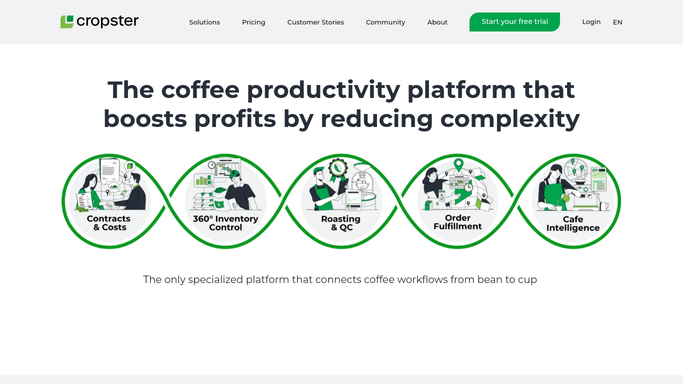
WebRun opens Cropster to find contracts nearing their expiry window. - Open Cropster and pull every green coffee purchase contract with its shipment window
- Calculate the days remaining until each contract's expiry or final shipment date
- Flag any contract expiring within the next 30 days
Done when Every green coffee contract expiring within 30 days is listed with its days remaining.
-
2
DocuSign - confirm the signed volume and pricing terms
docusign.com How to Automate DocuSign

WebRun opens DocuSign to confirm the signed volume and pricing terms. - Look up the signed agreement in DocuSign for each flagged contract
- Confirm the contracted volume, price, and any renewal terms already agreed
- Note whether the contract includes an automatic renewal clause
Done when Signed volume, price, and renewal terms are confirmed for every flagged contract.
-
3
Gmail - draft renewal outreach to the exporter
gmail.com How to Automate Gmail

WebRun opens Gmail to draft renewal outreach to the exporter. - Draft a renewal or renegotiation email to the exporter or importer for each expiring contract
- Reference the current volume, price, and the shipment window closing
- Save every outreach as a Gmail draft for your buying team to review and send
Done when A draft renewal outreach exists in Gmail for every contract expiring within 30 days, unsent.
How is each run configured?
Secure by default
Connect once, stays signed in
WebRun signs in once and keeps each session in a persistent environment, so every run picks up right where it left off.
Every action is checked against this policy before it runs.
Questions, answered
Will it email the exporter or importer without me reviewing it first?
No. Every renewal outreach is saved as a Gmail draft only. Your buying team reviews and sends each one, WebRun never contacts a supplier about a contract on its own.
How far ahead does it flag an expiring contract?
It flags any contract within 30 days of its shipment window closing or its expiry date, giving your buying team enough runway to negotiate before the window shuts.
What about contracts with an automatic renewal clause?
It still flags them so your team can confirm the terms in DocuSign, but the draft outreach notes the automatic renewal so you know it may not need a reply at all.
Related templates
Put this on autopilot.
Turn it on in minutes - or have our team set it up for you.