Get a weekly digest of every active client's status and actions
Every Monday morning, WebRun opens CoachAccountable and Paperbell, compiles a snapshot of each active client covering their last session, next appointment, and open action items, and posts a clean, scannable digest to your private Slack channel so you start the week with a complete picture of your practice.
- No credit card
- Under $0.01 per run
- Cancel anytime
How do I get a weekly summary of all my active coaching clients?
WebRun opens CoachAccountable and Paperbell every Monday morning, compiles a snapshot of every active client covering their next session, remaining credits, open action items, and any at-risk signals, and posts the complete digest to your private Slack channel. You start each week with a full picture of your practice in under a minute of reading.
- You start every Monday with a complete picture of every active client in one Slack message
- At-risk clients are surfaced automatically before they lapse or churn
- No more opening three apps just to remember who you are seeing this week
Built for life coaches · business coaches · executive coaches · solo coaching practices
What does WebRun do on every run?
The exact actions WebRun takes, in order - in plain language, so you can adjust anything.
-
WebRun signs in and gets to work
Opens
www.coachaccountable.comin a real browser with your saved login - no setup, no API keys. -
1
CoachAccountable - pull client action items and session notes
coachaccountable.com
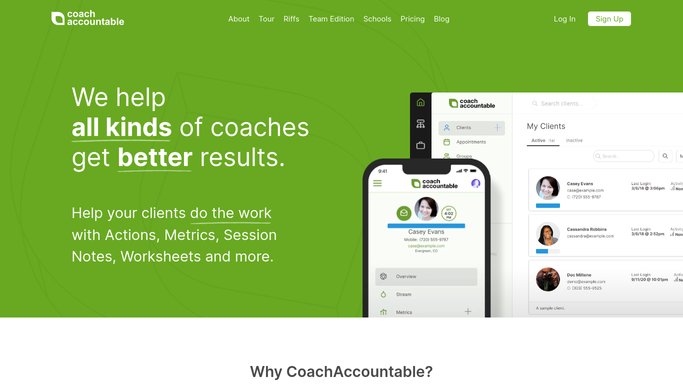
WebRun opens CoachAccountable to pull client action items and session notes. - Open CoachAccountable and go to the Clients section
- For each active client, note the date of their last session, any open action items, and outstanding goals
- Flag clients who have not had a session in 30 or more days as at-risk
Done when Every active client has a session and action item summary captured.
-
2
Paperbell - pull upcoming appointments and package status
paperbell.com

WebRun opens Paperbell to pull upcoming appointments and package status. - Open Paperbell and review upcoming appointments for the current week
- Note each active client's remaining session credits and package end date
- Identify any clients whose package is expiring within 30 days
Done when Every active client has an upcoming appointment note and package status captured.
-
3
Slack - post the weekly client digest
slack.com How to Automate Slack

WebRun opens Slack to post the weekly client digest. - Compile a client-by-client digest sorted by next session date
- Include for each client: next session, sessions remaining, open action items, and any at-risk flags
- Post the digest to your private Slack channel as a formatted message
Done when Your weekly client digest is posted in Slack and ready to scan.
How is each run configured?
Secure by default
Connect once, stays signed in
WebRun signs in once and keeps each session in a persistent environment, so every run picks up right where it left off.
Every action is checked against this policy before it runs.
Questions, answered
Is this digest only visible to me?
Yes. WebRun posts to your private Slack channel, not a shared workspace channel, so client details remain confidential and only you or anyone you invite to that channel can see the digest.
What does at-risk mean in the digest?
A client is flagged as at-risk when they have not had a session in 30 or more days or when their package is expiring within 30 days. The flag is a prompt for you to reach out, not an automated action.
Can I get the digest on a different day or time?
Yes. The Monday 7:30 AM schedule is the default. You can ask WebRun to run it on any day and time that suits your weekly planning rhythm.
Related templates
Put this on autopilot.
Turn it on in minutes - or have our team set it up for you.