Keep coaching clients accountable between sessions
Mid-week, WebRun opens CoachAccountable, reviews each active client's outstanding action items and goals, then drafts a personalised check-in email in Gmail for each one, so your clients stay on track between sessions without you writing every message from scratch.
- No credit card
- Under $0.01 per run
- Cancel anytime
How do I keep coaching clients accountable between sessions automatically?
WebRun opens CoachAccountable every Wednesday, reviews each active client's open action items and goals, and drafts a personalised accountability check-in email in Gmail for each one. Every message waits in your drafts folder for your approval, keeping clients engaged between sessions without hours of manual writing.
- Every active client gets a personalised check-in referencing their own action items
- Clients stay on track between sessions, improving results and retention
- You save hours of manual writing while keeping your personal coaching voice
Built for life coaches · executive coaches · business coaches · solo coaching practices
What does WebRun do on every run?
The exact actions WebRun takes, in order - in plain language, so you can adjust anything.
-
WebRun signs in and gets to work
Opens
www.coachaccountable.comin a real browser with your saved login - no setup, no API keys. -
1
CoachAccountable - review active client action items
coachaccountable.com
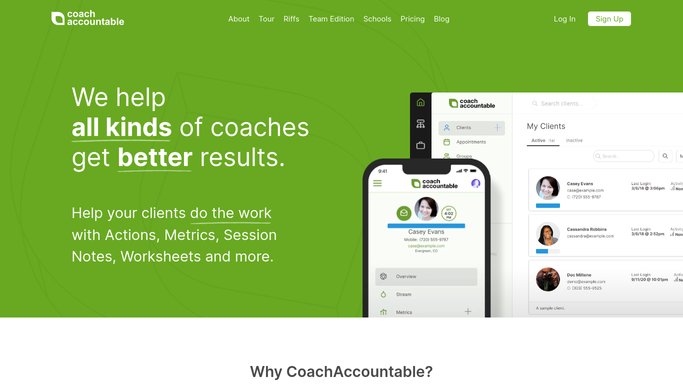
WebRun opens CoachAccountable to review active client action items. - Open CoachAccountable and go to the Clients section
- For each active client, review open Action Items and any goals set at their last session
- Note the client name, their stated actions, and the due dates for each
Done when Every active client has their open action items and goals captured for this week.
-
2
Google Sheets - log check-in history
google.com How to Automate Google Sheets

WebRun opens Google Sheets to log check-in history. - Open the check-in log sheet
- Append a row for each client showing the date, action items referenced, and check-in status
- Flag any client who did not respond to the previous check-in
Done when The check-in log is updated and non-responders are flagged.
-
3
Gmail - draft personalised check-in emails for review
gmail.com How to Automate Gmail

WebRun opens Gmail to draft personalised check-in emails for review. - Draft a warm, personalised mid-week check-in email for each client, referencing their specific action items by name
- Include a gentle prompt asking for a brief progress update
- Save each message as a Gmail draft, not sent, for your review
Done when A personalised draft check-in email sits in Gmail for every active client, ready for your review and send.
How is each run configured?
Secure by default
Connect once, stays signed in
WebRun signs in once and keeps each session in a persistent environment, so every run picks up right where it left off.
Every action is checked against this policy before it runs.
Questions, answered
Will it send check-ins to clients without my approval?
No. Every check-in is saved as a Gmail draft. Nothing goes to a client until you read it, personalise it further if you like, and send it yourself.
How does it know each client's specific action items?
It reads the open Action Items and goal notes in CoachAccountable for each client, so every draft references what that individual client committed to, not generic filler.
Can I control which clients receive a check-in each week?
Yes. You can exclude clients by pausing them in CoachAccountable or by maintaining a skip list in the Google Sheet. WebRun respects both signals.
Related templates
Put this on autopilot.
Turn it on in minutes - or have our team set it up for you.