Remind clients to renew their coaching programme before it ends
Every Monday, WebRun opens Paperbell, identifies clients whose coaching programmes end within the next 30 days, logs them to a renewal tracker in Google Sheets, and drafts a warm, personalised renewal conversation email in Gmail for each one, ready for your review before you send.
- No credit card
- Under $0.01 per run
- Cancel anytime
How do I remind coaching clients to renew their programme automatically?
WebRun opens Paperbell every Monday, finds clients whose programmes end within 30 days, logs them to a Google Sheet renewal tracker, and drafts a warm, personalised renewal email in Gmail for each one. Every message waits for your approval, giving you a pipeline of timely renewal conversations every week without any manual searching.
- Renewal conversations start 30 days before programmes end, not the day after
- No client lapses because a renewal email slipped through the cracks
- A running Google Sheet gives you a clear renewal pipeline every week
Built for life coaches · business coaches · executive coaches · coaching programme sellers
What does WebRun do on every run?
The exact actions WebRun takes, in order - in plain language, so you can adjust anything.
-
WebRun signs in and gets to work
Opens
paperbell.comin a real browser with your saved login - no setup, no API keys. -
1
Paperbell - find programmes ending soon
paperbell.com
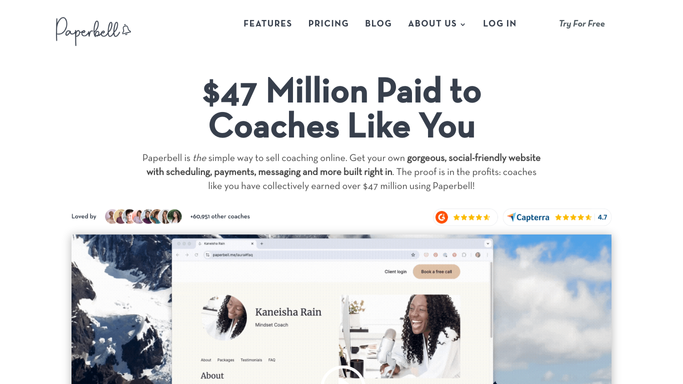
WebRun opens Paperbell to find programmes ending soon. - Open Paperbell and go to the Packages or Subscriptions section
- Filter for active clients whose programme end date falls within the next 30 days
- Note the client name, programme name, end date, and any remaining sessions
Done when Every client with a programme ending within 30 days is listed with their details.
-
2
Google Sheets - log renewal pipeline
google.com How to Automate Google Sheets

WebRun opens Google Sheets to log renewal pipeline. - Open the programme renewal tracker sheet
- Append a row for each client with their name, programme, end date, and outreach status
- Check for clients who were already contacted this month to avoid duplicate outreach
Done when The renewal tracker is updated and previously contacted clients are flagged.
-
3
Gmail - draft renewal conversation emails for review
gmail.com How to Automate Gmail

WebRun opens Gmail to draft renewal conversation emails for review. - Draft a warm, outcome-focused renewal email for each client celebrating their progress and introducing the next programme option
- Include a suggested next step, such as a renewal booking link or an offer to discuss options
- Save each message as a Gmail draft, not sent, for your review
Done when A personalised renewal draft sits in Gmail for every client approaching their programme end date.
How is each run configured?
Secure by default
Connect once, stays signed in
WebRun signs in once and keeps each session in a persistent environment, so every run picks up right where it left off.
Every action is checked against this policy before it runs.
Questions, answered
Will it send renewal emails to clients without my approval?
No. Every renewal email is saved as a Gmail draft for your review. Nothing goes out until you personalise it if needed and send it yourself.
Can I control how far in advance it starts flagging renewals?
Yes. The 30-day window is the default, but you can instruct WebRun to use a different lead time, for example 14 or 60 days, to match your programme lengths and sales cycle.
What if a client renews on their own before I send the email?
WebRun reads live Paperbell data each Monday, so any client who already renewed since last week is no longer flagged in the renewal list.
Related templates
Put this on autopilot.
Turn it on in minutes - or have our team set it up for you.