Nurture coaching leads from enquiry to booked discovery call
When a new lead submits your enquiry form, WebRun reviews their responses, logs the lead to a Google Sheet pipeline, and drafts a personalised first-touch follow-up email in Gmail with a link to book a discovery call. If the lead does not book within a few days, WebRun drafts a gentle follow-on nudge, keeping the conversation alive without manual tracking.
- No credit card
- Under $0.01 per run
- Cancel anytime
How do I automatically nurture coaching leads from enquiry to discovery call?
WebRun checks Paperbell every morning for new coaching enquiries, reads each lead's form responses, and drafts a personalised first-touch email in Gmail with a discovery call booking link. For leads who have not yet booked, it drafts a timely nudge. Every message waits for your approval, turning enquiries into discovery calls without manual tracking.
- Every enquiry gets a personalised, same-day first-touch response without manual writing
- Leads who do not book immediately receive a timely nudge before going cold
- A Google Sheet gives you a clear view of your lead pipeline at all times
Built for life coaches · business coaches · executive coaches · solo coaching practices
What does WebRun do on every run?
The exact actions WebRun takes, in order - in plain language, so you can adjust anything.
-
WebRun signs in and gets to work
Opens
paperbell.comin a real browser with your saved login - no setup, no API keys. -
1
Paperbell - capture the new enquiry and form responses
paperbell.com
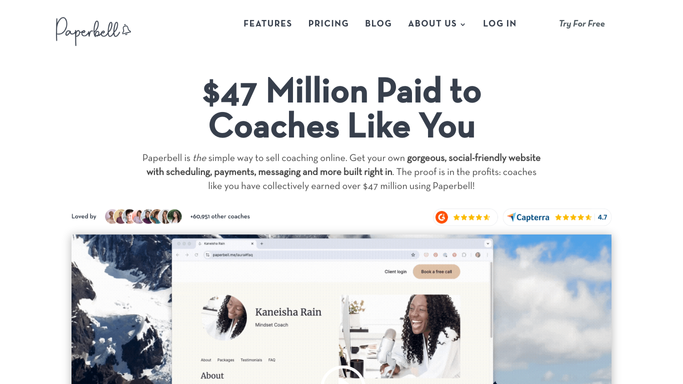
WebRun opens Paperbell to capture the new enquiry and form responses. - Open Paperbell and check for new enquiry form submissions received in the last 24 hours
- Capture the lead's name, email, stated goals, and any other form responses
- Note whether the lead has already booked a discovery call automatically
Done when Every new enquiry from the last 24 hours is captured with the lead's details and form responses.
-
2
Google Sheets - log the lead and track follow-up status
google.com How to Automate Google Sheets

WebRun opens Google Sheets to log the lead and track follow-up status. - Open the lead nurture pipeline sheet
- Append a row for each new lead with their name, enquiry date, form responses, and follow-up status
- Check for leads who received a first-touch email but have not yet booked and flag them for a nudge
Done when The pipeline sheet is updated with new leads and any existing leads due for a nudge are identified.
-
3
Gmail - draft personalised nurture emails for review
gmail.com How to Automate Gmail

WebRun opens Gmail to draft personalised nurture emails for review. - Draft a warm, personalised first-touch email for each new lead referencing their stated goals from the form
- Include a clear call to action with a direct Paperbell discovery call booking link
- For leads flagged as due a nudge, draft a short, friendly follow-on email checking whether they are still interested
- Save all messages as Gmail drafts, not sent, for your review
Done when A personalised draft nurture email sits in Gmail for every new lead and for every lead due a follow-on nudge.
How is each run configured?
Secure by default
Connect once, stays signed in
WebRun signs in once and keeps each session in a persistent environment, so every run picks up right where it left off.
Every action is checked against this policy before it runs.
Questions, answered
Will it send emails to leads without my approval?
No. Every nurture email is saved as a Gmail draft for your review. Nothing reaches a lead until you read it, personalise it further if you like, and send it yourself.
How does it know what to say for each lead?
WebRun reads the lead's specific enquiry form responses from Paperbell and uses their stated goals and challenges to tailor each draft, so every message feels personal rather than templated.
Will it keep nudging a lead indefinitely?
No. WebRun tracks follow-up status in the Google Sheet and stops creating new nudge drafts once a lead books a call or after the sequence reaches its last touch, so you never over-contact a prospect.
Related templates
Put this on autopilot.
Turn it on in minutes - or have our team set it up for you.