Fill open cleaner shifts before they become problems
Every morning, WebRun opens ZenMaid, finds any shifts for the next 48 hours that are unassigned or have a pending cancellation, identifies available cleaners based on schedule and service area, drafts coverage outreach texts for your review, and posts an unfilled-shift summary to Slack.
- No credit card
- Under $0.01 per run
- Cancel anytime
How can I automatically find coverage for unfilled cleaning shifts?
WebRun scans ZenMaid every morning for cleaning shifts in the next 48 hours that are unassigned or at risk. It matches available cleaners by schedule and area, drafts coverage SMS messages for your approval, and posts an unfilled-shift summary to Slack so your team can act before a client is affected.
- Unfilled shifts are caught and actioned hours before the job is due
- Available cleaners are identified automatically without manual roster checks
- Ops team gets a clear gap list in Slack every morning
Built for residential cleaning companies · commercial janitorial services · maid service operators · cleaning franchise owners
What does WebRun do on every run?
The exact actions WebRun takes, in order - in plain language, so you can adjust anything.
-
WebRun signs in and gets to work
Opens
app.zenmaid.comin a real browser with your saved login - no setup, no API keys. -
1
ZenMaid - find unassigned shifts
zenmaid.com
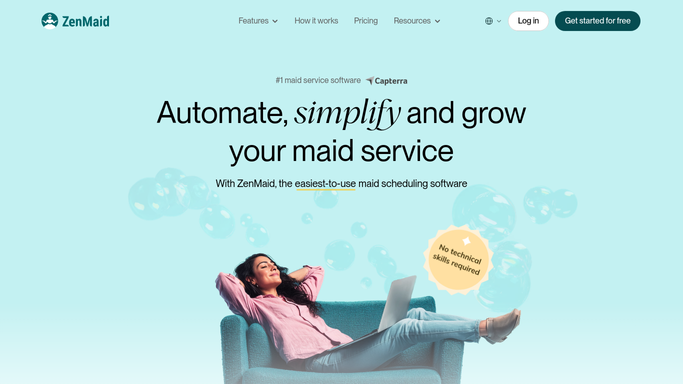
WebRun opens ZenMaid to find unassigned shifts. - Open ZenMaid and navigate to the Schedule view
- Filter to jobs in the next 48 hours with no assigned cleaner or a flagged cancellation
- For each unfilled job, note the client, address, time, and service type
- Cross-reference the staff list for cleaners who are available and cover the service area
Done when Every unfilled shift is listed with candidate cleaners who could cover it.
-
2
Twilio - draft coverage outreach texts
twilio.com How to Automate Twilio

WebRun opens Twilio to draft coverage outreach texts. - Draft an SMS for each candidate cleaner describing the open shift details
- Include the address, time window, and any special instructions
- Hold all outreach texts as drafts for your review before sending
Done when One draft coverage SMS is ready per candidate cleaner per open shift.
-
3
Slack - post unfilled-shift summary
slack.com How to Automate Slack

WebRun opens Slack to post unfilled-shift summary. - Post a summary of all unfilled shifts to the ops channel in Slack
- List the job, time, and which candidates have been drafted for outreach
- Flag any shift with zero available candidates so you can act immediately
Done when Your ops team has a complete unfilled-shift summary in Slack.
How is each run configured?
Secure by default
Connect once, stays signed in
WebRun signs in once and keeps each session in a persistent environment, so every run picks up right where it left off.
Every action is checked against this policy before it runs.
Questions, answered
Will it text cleaners without my approval?
No. Every outreach SMS is drafted and held for your review. You decide which candidates to contact before anything is sent, keeping you in control of staff communications.
How does it know who is available to cover?
It reads each cleaner's existing ZenMaid schedule to check for conflicts and matches their listed service area to the job location, so only genuinely available candidates are surfaced.
What if no one is available for a shift?
It flags those shifts prominently in the Slack summary so you can take direct action, such as calling a backup agency or contacting the client to reschedule.
Related templates
Put this on autopilot.
Turn it on in minutes - or have our team set it up for you.