Never run out of cleaning supplies on a job day
Every Monday, WebRun checks your supply inventory log in Google Sheets against the week's job schedule in Swept, identifies products falling below reorder thresholds, drafts a purchase order summary, and posts a reorder alert to Slack so supplies are ordered before the week's cleans begin.
- No credit card
- Under $0.01 per run
- Cancel anytime
How do I automatically track cleaning supply levels and get reorder alerts?
WebRun checks your Google Sheets supply inventory every Monday against the week's Swept job schedule. It identifies products below reorder thresholds, drafts a purchase order summary with suggested quantities, and posts a reorder alert to Slack so you can approve and order before any crew runs short mid-week.
- Crews never arrive at a job site without the products they need
- Low-stock items are flagged before the week starts, not after a shortage hits
- Draft PO summaries save 30 minutes of manual inventory checks every Monday
Built for commercial janitorial companies · residential cleaning services · multi-crew cleaning operations · cleaning franchise supply managers
What does WebRun do on every run?
The exact actions WebRun takes, in order - in plain language, so you can adjust anything.
-
WebRun signs in and gets to work
Opens
app.sweptworks.comin a real browser with your saved login - no setup, no API keys. -
1
Swept - pull this week's job schedule
sweptworks.com
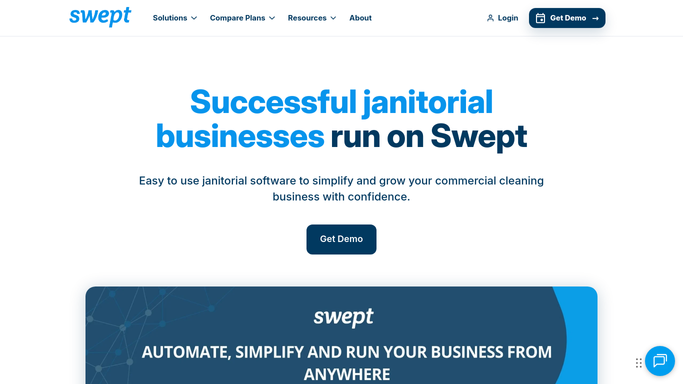
WebRun opens Swept to pull this week's job schedule. - Open Swept and pull the job schedule for the current and next week
- Note the site types and expected supply usage based on job count and service type
- Flag any commercial sites with specific product requirements
Done when This week's job count and supply demand estimate is captured.
-
2
Google Sheets - check supply levels against schedule
google.com How to Automate Google Sheets

WebRun opens Google Sheets to check supply levels against schedule. - Open the supply inventory sheet and read current stock levels for each product
- Compare stock on hand to the reorder threshold set for each item
- Cross-reference with this week's usage estimate to identify items at risk of running out
- Flag items already below threshold and items that will run out mid-week
Done when Every supply item at or below reorder threshold is identified with current and projected stock levels.
-
3
Slack - post reorder alert and draft PO
slack.com How to Automate Slack

WebRun opens Slack to post reorder alert and draft PO. - Post a reorder alert to the ops channel listing each item, current stock level, and suggested order quantity
- Include a draft purchase order summary with preferred supplier and estimated cost
- Flag any items that are already out of stock as urgent
Done when Ops has a complete reorder alert and draft PO summary in Slack ready for approval.
How is each run configured?
Secure by default
Connect once, stays signed in
WebRun signs in once and keeps each session in a persistent environment, so every run picks up right where it left off.
Every action is checked against this policy before it runs.
Questions, answered
Will it place orders with suppliers automatically?
No. WebRun drafts a purchase order summary and posts it to Slack for your approval. You place the order with your supplier yourself, keeping purchasing decisions firmly in your hands.
How does it know how much stock to recommend ordering?
It compares the current stock level in your Google Sheet to the reorder threshold you set per product and factors in the week's job count from Swept to suggest a quantity that covers the upcoming workload.
Do I need to update the inventory sheet manually each week?
Yes. The workflow reads from your Google Sheet, so your team should log supply deliveries and usage there. The more accurate the sheet, the more reliable the reorder alerts.
Related templates
Put this on autopilot.
Turn it on in minutes - or have our team set it up for you.