Reconcile last night's tabs, tips, and payouts
Every night, WebRun opens Arryved, totals last night's closed tabs, tips collected, and the Arryved Pay payout, checks them against the deposit and sales entry in QuickBooks, and posts a short Slack digest that confirms the day tied out or flags exactly what did not.
- No credit card
- Under $0.01 per run
- Cancel anytime
What does WebRun do on every run?
The exact actions WebRun takes, in order - in plain language, so you can adjust anything.
-
WebRun signs in and gets to work
Opens
www.arryved.comin a real browser with your saved login - no setup, no API keys. -
1
Arryved - total tabs, tips, and payout
arryved.com How to Automate Arryved

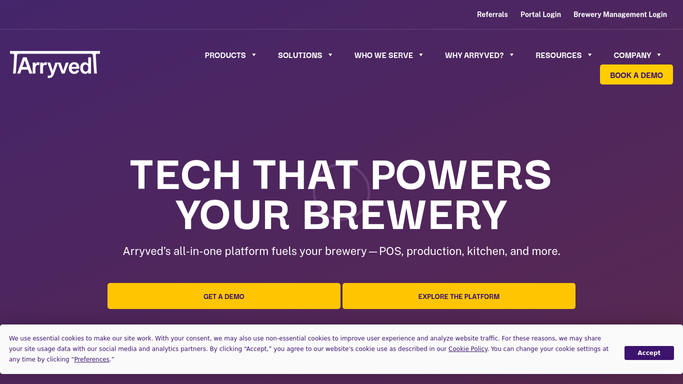
WebRun opens Arryved to total last night's tabs, tips, and payout. - Open Arryved and pull last night's closed tabs and gross sales
- Total tips collected and how they split across the tip pool
- Capture the Arryved Pay payout amount and its expected deposit date
- Note comps, voids, and refunds so the net figure is clean
Done when Last night's tabs, tips, and expected payout are totaled with comps and refunds accounted for.
-
2
QuickBooks - check against the deposit
- Open QuickBooks and find the matching daily sales entry and the Arryved Pay deposit
- Compare gross sales, tips, and net payout against the Arryved totals
- Check that fees and refunds line up between the two systems
- Mark any line that does not reconcile with the size of the gap
Done when Each figure is compared against QuickBooks and any discrepancy is identified with its amount.
-
3
Slack - post the reconciliation digest
slack.com How to Automate Slack
WebRun opens Slack to post the reconciliation digest. - Post a short Slack digest confirming whether last night tied out
- List gross sales, tips, fees, and net payout side by side
- Flag any mismatch first with the amount and the likely cause
- Keep it to a clean summary a manager can scan in seconds
Done when Your team has a Slack digest showing the reconciliation and any flagged gap.

How do I reconcile nightly tabs, tips, and payouts against QuickBooks?
WebRun opens Arryved every night, totals last night's closed tabs, tips, and the Arryved Pay payout, then checks each figure against the deposit and sales entry in QuickBooks. It posts a short Slack digest confirming the day tied out or flagging the exact gap and likely cause, all without moving money or editing a single entry.
- Each morning starts knowing last night tied out or exactly what did not
- Mismatches are flagged with an amount and a likely cause, not just a red number
- WebRun reads and compares only, never moving money or editing entries
Built for cideries · taproom managers · owners · bookkeepers · finance teams
How is each run configured?
Secure by default
Connect once, stays signed in
WebRun signs in once and keeps each session in a persistent environment, so every run picks up right where it left off.
Every action is checked against this policy before it runs.
Questions, answered
Does it post the digest without me?
Yes, but only to your internal Slack channel. The reconciliation is a read-only digest, so WebRun posts it on its own. It never moves money or edits an entry in QuickBooks or Arryved.
Does it change anything in QuickBooks or move money?
No. WebRun only reads the totals in Arryved and QuickBooks and compares them. It never creates, edits, or deletes a transaction and never initiates a payout, so reconciliation stays fully in your hands.
What happens when the numbers do not tie out?
It flags the mismatch first in the Slack digest with the exact amount and the likely cause, such as a fee, a refund, or a timing difference, so a manager can chase only the days that need attention.
Related templates
Put this on autopilot.
Turn it on in minutes - or have our team set it up for you.