Give loyalty members first crack at a new release
Every morning, WebRun opens Arryved, spots any new cider release added to the menu, pulls the release name and notes from Untappd, drafts an early-access preview invite for your top loyalty members in Mailchimp, and posts a Slack alert so your team approves before the invite sends.
- No credit card
- Under $0.01 per run
- Cancel anytime
How do I invite loyalty members to a new cider release first?
WebRun opens Arryved every morning, spots any new cider release, and pulls its tasting notes from Untappd. It drafts an early-access preview invite for your top loyalty members in Mailchimp and posts a Slack-ready alert, so your team approves before the invite sends and your best guests get first crack at every drop.
- Loyalty members get first access to every new cider drop
- No preview invite sends without team approval
- Release notes are pulled from Untappd, so invites write themselves
Built for cideries · cider clubs · marketing teams · taproom managers · loyalty coordinators
What does WebRun do on every run?
The exact actions WebRun takes, in order - in plain language, so you can adjust anything.
-
WebRun signs in and gets to work
Opens
www.arryved.comin a real browser with your saved login - no setup, no API keys. -
1
Arryved - spot the new release and top members
arryved.com How to Automate Arryved
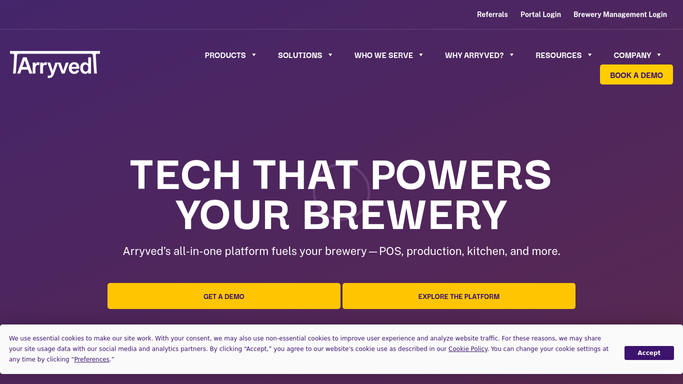
WebRun opens Arryved to spot the new release and its loyalty segment. - Open Arryved and check the menu and inventory for a newly added cider release
- Confirm the release is set to go live and note its style, ABV, and launch date
- Pull your top loyalty and membership tier as the early-access segment
- Capture each member's name, email, and tier
Done when A new release is confirmed and the early-access loyalty segment is captured with contact details.
-
2
Untappd - pull the release details
untappd.com
WebRun opens Untappd to pull the release details. - Open the release on Untappd for its tasting notes and label art
- Pull the style, ABV, and description to enrich the invite
- Grab the link members can use to follow or check in when it drops
Done when The release details and Untappd link are ready to drop into the invite.
-
3
Mailchimp - draft the preview invite
mailchimp.com How to Automate Mailchimp

WebRun opens Mailchimp to draft the loyalty preview invite. - Open Mailchimp and create a new campaign draft for the loyalty early-access segment
- Load the recipient list with the top-tier members from Arryved
- Draft an on-brand invite with the release name, notes, and a members-first preview window
- Save the campaign as a draft without scheduling or sending
Done when A Mailchimp draft preview invite is saved for review, not yet scheduled or sent.
How is each run configured?
Secure by default
Connect once, stays signed in
WebRun signs in once and keeps each session in a persistent environment, so every run picks up right where it left off.
Every action is checked against this policy before it runs.
Questions, answered
Will it email the invite to members automatically?
No. The early-access invite is saved as a Mailchimp draft for your team to review. Nothing reaches a member until a person approves and schedules the send.
How does it know there is a new release?
It checks Arryved each morning for a newly added cider on the menu or inventory and confirms it is set to go live, so the invite only drafts for a real, upcoming release.
Which members get the early-access invite?
Your top loyalty and membership tier in Arryved, so the preview rewards your most engaged guests. You can widen or narrow the segment before you approve the send.
Related templates
Put this on autopilot.
Turn it on in minutes - or have our team set it up for you.