Rebook last season's customers before the first cold snap
Every Monday during the run up to burn season, WebRun opens Smart Service, finds last season's customers who have not rebooked this year, holds a short list of open appointment slots in Google Calendar, and drafts a rebooking email for each customer for your office to review and send.
- No credit card
- Under $0.01 per run
- Cancel anytime
How do I rebook last season's chimney customers before burn season starts?
Every Monday during the run up to burn season, WebRun checks Smart Service for last season's customers who have not rebooked, holds a short list of open slots in Google Calendar, and drafts a rebooking email for each in Gmail. Every email waits as a draft, so your office reviews and sends it.
- Returning customers get a rebooking email before the burn season rush hits
- Technician calendars fill with returning customers instead of empty slots
- Customers who already rebooked are skipped automatically from live Smart Service data
Built for chimney sweep companies · seasonal field service businesses · home service marketing teams
What does WebRun do on every run?
The exact actions WebRun takes, in order - in plain language, so you can adjust anything.
-
WebRun signs in and gets to work
Opens
smartservice.comin a real browser with your saved login - no setup, no API keys. -
1
Smart Service - find last season's customers not yet rebooked
smartservice.com How to Automate Smart Service
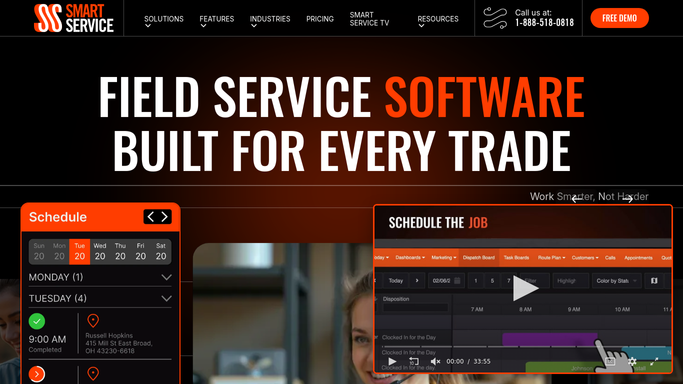
WebRun opens Smart Service to find last season's customers not yet rebooked. - Open Smart Service and pull last burn season's completed jobs
- Filter out anyone who already has a job booked or completed this season
- Capture each customer's name, contact info, and last service date
Done when Every customer from last season who has not rebooked this year is listed.
-
2
Google Calendar - hold open appointment slots
calendar.google.com How to Automate Google Calendar

WebRun opens Google Calendar to hold open appointment slots. - Check technician calendars for open appointment slots over the next two weeks
- Reserve a short list of slots per day to offer returning customers first
- Release any held slot that goes unclaimed after 48 hours
Done when A current list of open slots is ready to offer returning customers.
-
3
Gmail - draft the rebooking email
gmail.com How to Automate Gmail

WebRun opens Gmail to draft the rebooking email. - Draft a rebooking email for each customer referencing their last service date
- Include two or three open slots from the held Google Calendar list
- Leave every email as an unsent draft for the office to review and send
Done when A review-ready rebooking draft exists in Gmail for every returning customer.
How is each run configured?
Secure by default
Connect once, stays signed in
WebRun signs in once and keeps each session in a persistent environment, so every run picks up right where it left off.
Every action is checked against this policy before it runs.
Questions, answered
Will it email last season's customers without review?
No. Every rebooking email is saved as a Gmail draft for your office to review and send. WebRun never emails a returning customer on its own.
Does it double book the slots it holds?
No. Held slots come straight from your technicians' live Google Calendar availability, and any slot not claimed within 48 hours is released back to the open calendar.
What if a customer already rebooked this season?
WebRun checks Smart Service for a completed or booked job each week, so any customer who has already rebooked this season is skipped automatically.
Related templates
Put this on autopilot.
Turn it on in minutes - or have our team set it up for you.