Find the repos that quietly stopped being scanned
Every Monday, WebRun signs in to Checkmarx, checks when each project last completed a scan and whether recent scans failed, posts a coverage report to Microsoft Teams naming the gaps and their owners, and texts you through Twilio when a project you marked critical has no recent successful scan.
- No credit card
- Under $0.01 per run
- Cancel anytime
How do I check which projects are missing security scans each week?
WebRun signs in to Checkmarx every Monday, reads the last scan date and result for every project, and sorts them into scanned, failing and never scanned in the window. It posts the coverage report to Microsoft Teams with owners tagged, and texts security leads through Twilio when a critical project is uncovered.
- A repo that dropped out of scanning is found within a week
- Failing scans get an owner instead of sitting in a queue
- Critical apps with no coverage reach a lead by text, not by email
Built for application security teams · DevSecOps engineers · engineering managers · compliance leads
What does WebRun do on every run?
The exact actions WebRun takes, in order - in plain language, so you can adjust anything.
-
WebRun signs in and gets to work
Opens
checkmarx.comin a real browser with your saved login - no setup, no API keys. -
1
Checkmarx - check scan coverage per project
checkmarx.com
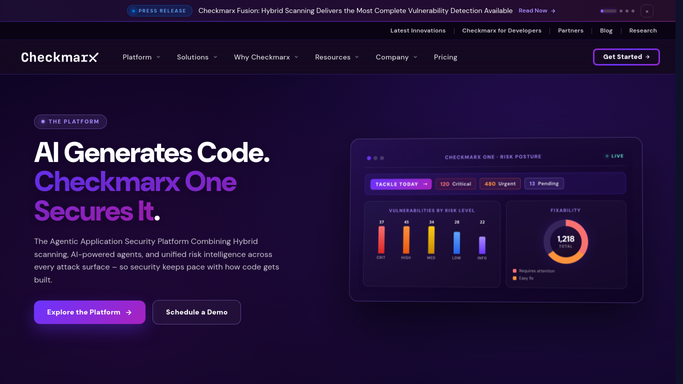
WebRun opens Checkmarx to check scan coverage per project. - Sign in to Checkmarx and list every project in scope
- For each project read the date and result of the most recent scan
- Separate projects into scanned successfully this week, scanned but failed or errored, and not scanned at all in the window you set
Done when Every project has a coverage status and a last successful scan date.
-
2
Microsoft Teams - post the coverage report
microsoft.com How to Automate Microsoft Teams

WebRun opens Microsoft Teams to post the coverage report. - Post the coverage report to your security channel in Microsoft Teams
- Lead with projects that have no successful scan in the window, then projects whose scans are failing
- Tag the owning team on each gap and give the last successful scan date so the age of the gap is obvious
Done when The security channel has this week's coverage report with owners tagged.
-
3
Twilio - text you about uncovered critical apps
twilio.com How to Automate Twilio

WebRun opens Twilio to text you about uncovered critical apps. - Send a text through Twilio only when a project on your critical list has no successful scan in the window
- Name the project, the last successful scan date and the owning team
- Send to the security leads on your recipient list and nobody else
Done when Security leads have been texted about any uncovered critical project.
How is each run configured?
Secure by default
Connect once, stays signed in
WebRun signs in once and keeps each session in a persistent environment, so every run picks up right where it left off.
Every action is checked against this policy before it runs.
Questions, answered
Will it start scans or change scan settings?
No. WebRun reads scan history and reports on it. It never triggers a scan, never edits a project configuration, and never changes a policy. Running a scan stays a deliberate action by your team.
Does the report include vulnerability details?
No. This workflow is about coverage, not findings. It reports which projects were scanned, which failed and which were skipped. It does not copy vulnerability details out of Checkmarx into a chat channel.
Who receives the text message?
Only the security leads on the recipient list you configure, and only when a project you marked critical has no recent successful scan. Quiet weeks send no text at all.
Related templates
Put this on autopilot.
Turn it on in minutes - or have our team set it up for you.