Build an allergen and dietary prep sheet for every event
Every morning, WebRun opens Caterease, reads the allergen and dietary notes from the BEO for each event in the next 72 hours, compiles a structured prep sheet in Google Sheets, and posts the allergen summary to the kitchen Slack channel so nothing is missed during service.
- No credit card
- Under $0.01 per run
- Cancel anytime
How do I automatically create an allergen prep sheet for catering events?
WebRun opens Caterease every morning and reads the allergen and dietary notes from the BEO for every event in the next 72 hours. It builds a structured prep sheet in Google Sheets with guest counts per allergen and dietary type, then posts a colour-coded summary to your kitchen Slack channel so the team prepares every dish safely.
- Kitchen receives a complete allergen and dietary breakdown for every event 72 hours in advance
- High-risk allergens are highlighted automatically for immediate visibility
- No manual BEO review needed to build each event's prep sheet
Built for catering companies · event caterers · catering head chefs · banquet kitchen teams
What does WebRun do on every run?
The exact actions WebRun takes, in order - in plain language, so you can adjust anything.
-
WebRun signs in and gets to work
Opens
www.caterease.com/loginin a real browser with your saved login - no setup, no API keys. -
1
Caterease - read allergen and dietary notes from BEOs
caterease.com
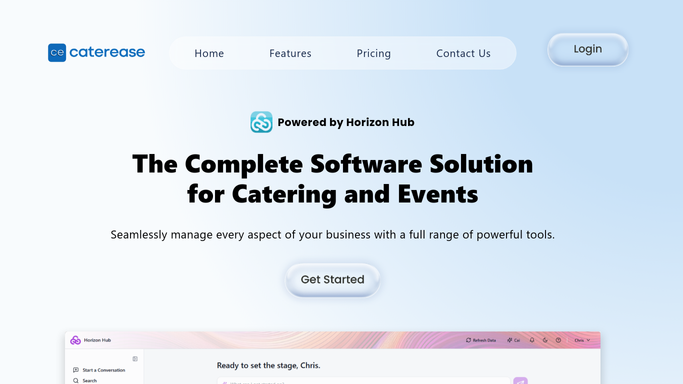
WebRun opens Caterease to read allergen and dietary notes from BEOs. - Open Caterease and filter events to those occurring in the next 72 hours
- For each event, open the BEO and read all dietary requirements and allergen notes, including nut-free, gluten-free, vegan, halal, and specific guest allergy details
- Note the event name, date, guest count, and the number of guests with each requirement
Done when All allergen and dietary details are captured for every event in the next 72 hours.
-
2
Google Sheets - compile structured allergen prep sheet
google.com How to Automate Google Sheets

WebRun opens Google Sheets to compile structured allergen prep sheet. - Open the kitchen prep sheet in Google Sheets
- Add or update a section for each event with a table of allergens, dietary types, and guest counts
- Highlight high-risk allergens such as nuts and shellfish in red for quick visual scanning
Done when The Google Sheets prep sheet is complete and correctly formatted for all upcoming events.
-
3
Slack - post prep sheet to kitchen channel
slack.com How to Automate Slack

WebRun opens Slack to post prep sheet to kitchen channel. - Post a formatted allergen summary for each upcoming event to the kitchen Slack channel
- List allergens and dietary requirements with guest counts and flag any high-risk items
- Include a link to the full Google Sheets prep sheet for reference
Done when The kitchen channel has a clear allergen summary and prep sheet link for every event in the next 72 hours.
How is each run configured?
Secure by default
Connect once, stays signed in
WebRun signs in once and keeps each session in a persistent environment, so every run picks up right where it left off.
Every action is checked against this policy before it runs.
Questions, answered
Is allergen information sent to external parties or only internal teams?
It is only posted to your internal kitchen Slack channel and your Google Sheets prep sheet. No guest dietary data is shared externally.
What if allergen notes are added to the BEO after the prep sheet has been posted?
The workflow runs every morning, so any new notes added to Caterease by the previous day will be included in the next day's prep sheet. For urgent late additions, you can trigger a manual re-run.
Can it flag specific high-risk allergens more visibly than others?
Yes. During setup you define which allergens are high-risk for your kitchen, such as nuts or shellfish, and WebRun highlights those rows in the Sheets table and bolds them in the Slack summary.
Related templates
Put this on autopilot.
Turn it on in minutes - or have our team set it up for you.