Get BEOs to your kitchen and staff automatically
Every morning, WebRun opens Caterease, pulls the finalised BEO for each event happening within the next three days, logs the key details to a shared Google Sheet, and posts the BEO summary to the kitchen and staff Slack channels so everyone is briefed before the event.
- No credit card
- Under $0.01 per run
- Cancel anytime
What does WebRun do on every run?
The exact actions WebRun takes, in order - in plain language, so you can adjust anything.
-
WebRun signs in and gets to work
Opens
www.caterease.com/loginin a real browser with your saved login - no setup, no API keys. -
1
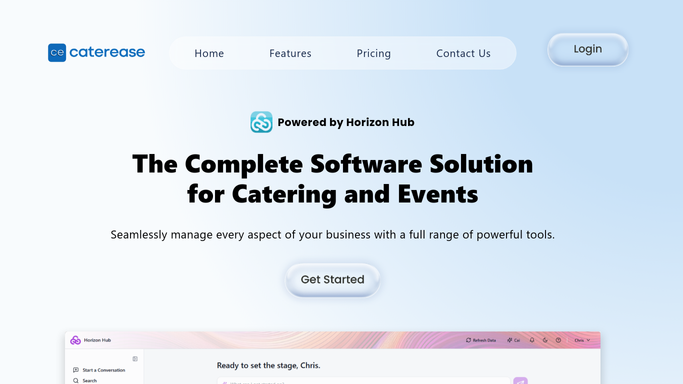
Caterease - pull finalised BEOs for upcoming events
caterease.com How to Automate Caterease

WebRun opens Caterease to pull finalised BEOs for upcoming events. - Open Caterease and filter events to those occurring within the next three days
- For each event, open the BEO and confirm it is marked as finalised
- Capture event name, date, venue, confirmed guest count, menu items, setup requirements, and service notes
Done when Every finalised BEO for the next three days is captured with all key details.
-
2
Google Sheets - log BEO details to the shared run sheet
google.com How to Automate Google Sheets
WebRun opens Google Sheets to log BEO details to the shared run sheet. - Open the shared kitchen run sheet in Google Sheets
- Add a new row for each BEO with event name, date, guest count, menu, and setup notes
- Colour-code rows by service type for quick scanning
Done when The run sheet is up to date with every BEO for the upcoming three days.
-
3
Slack - post BEO summary to kitchen and staff channels
slack.com How to Automate Slack
WebRun opens Slack to post BEO summary to kitchen and staff channels. - Post a BEO summary for each event to the kitchen Slack channel
- Post the setup and service notes to the events staff channel
- Tag the event lead or head chef so they acknowledge receipt
Done when Kitchen and staff channels each have a BEO summary for every event in the next three days.


How do I automatically distribute BEOs to kitchen and event staff?
WebRun opens Caterease every morning and pulls the finalised BEO for every event in the next three days. It logs each BEO to your shared Google Sheets run sheet and posts a formatted summary to your kitchen and staff Slack channels, so every team member has the event details they need before the day begins.
- Kitchen and staff have every BEO detail at least 72 hours before each event
- No manual BEO forwarding or printed sheet distribution needed
- Only finalised BEOs are distributed, pending ones are flagged separately
Built for catering companies · event caterers · catering operations managers · banquet halls
How is each run configured?
Secure by default
Connect once, stays signed in
WebRun signs in once and keeps each session in a persistent environment, so every run picks up right where it left off.
Every action is checked against this policy before it runs.
Questions, answered
Does it send BEOs to external contacts or only internal Slack channels?
It only posts to your internal Slack channels. No BEO information is sent to clients or external parties at any point.
What if a BEO is still a draft and not yet finalised?
It checks the BEO status in Caterease and only distributes events where the BEO is marked as finalised. Pending BEOs are listed separately so you know what still needs signing off.
Can it target different Slack channels for kitchen versus front-of-house staff?
Yes. You configure the channel names at setup and WebRun routes kitchen-relevant details to the kitchen channel and service notes to the front-of-house channel.
Related templates
Put this on autopilot.
Turn it on in minutes - or have our team set it up for you.