Draft customer follow ups after every Bsale sale
Every morning, WebRun opens Bsale, finds yesterday's completed sales with a customer record on file, drafts a short thank you or review request referencing what they bought, in WhatsApp for customers with a phone number and in Gmail for those with only an email, and leaves every draft unsent for your team to review.
- No credit card
- Under $0.01 per run
- Cancel anytime
How do I draft customer follow ups after every Bsale sale?
WebRun reviews yesterday's Bsale sales every morning and drafts a short, on-brand thank you message for each customer with a phone number or email on file, in WhatsApp or Gmail. Every draft is left unsent for a staff member to review and send, so customers get a personal follow up without anyone sending a message unsupervised.
- Every customer with contact details gets a personal follow up drafted overnight
- Nothing sends to a customer without a staff member reviewing it first
- Follow ups reference the actual purchase instead of a generic template
Built for retail store owners · customer experience teams · small business owners · multi-location retailers
What does WebRun do on every run?
The exact actions WebRun takes, in order - in plain language, so you can adjust anything.
-
WebRun signs in and gets to work
Opens
www.bsale.comin a real browser with your saved login - no setup, no API keys. -
1
Bsale - find yesterday's customers with contact details
bsale.com How to Automate Bsale
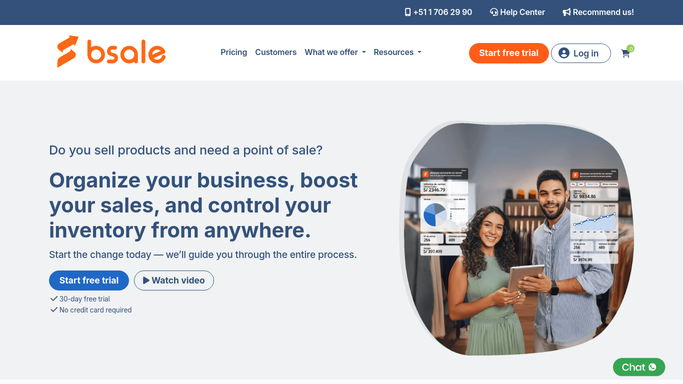
WebRun opens Bsale to find yesterday's customers with contact details. - Open Bsale and pull yesterday's completed sales
- Filter to sales with a linked customer record that has a phone number or email
- Capture the customer name and the items purchased for each
Done when Every eligible customer from yesterday is listed with contact details and items purchased.
-
2
WhatsApp - draft a thank you message for each
whatsapp.com How to Automate WhatsApp

WebRun opens WhatsApp to draft a thank you message for each. - Draft a short, on-brand thank you message for each customer with a phone number on file
- Reference what they bought so the message feels personal, not generic
- Leave every message unsent for a staff member to review and send
Done when A draft WhatsApp message is ready for every customer with a phone number, unsent.
-
3
Gmail - draft a follow up email where no phone is on file
gmail.com How to Automate Gmail

WebRun opens Gmail to draft a follow up email where no phone is on file. - Draft the same style follow up as an email for customers with only an email on file
- Leave every draft unsent in Gmail
- Do not send any message to a customer without staff review
Done when A draft email is ready in Gmail for every remaining customer, unsent.
How is each run configured?
Secure by default
Connect once, stays signed in
WebRun signs in once and keeps each session in a persistent environment, so every run picks up right where it left off.
Every action is checked against this policy before it runs.
Questions, answered
Will it message customers without anyone checking first?
No. Every WhatsApp and Gmail message is left as an unsent draft. A staff member has to review and send each one before a customer sees it.
What does the message actually say?
A short, friendly thank you or review request that references what the customer bought. Give WebRun a tone or an example message and it will match your voice.
What about customers with no phone number or email on file?
They are skipped automatically. WebRun only drafts a follow up when there is a real contact detail on the Bsale customer record.
Related templates
Put this on autopilot.
Turn it on in minutes - or have our team set it up for you.