Never let a signing certificate expire on release week
Every Monday, WebRun opens Bitrise, reads the code signing certificates and provisioning profiles attached to each app, works out which ones lapse inside your lead time, drafts a Gmail renewal request to whoever holds the developer account, and posts your mobile channel a dated Slack list of what expires and when.
- No credit card
- Under $0.01 per run
- Cancel anytime
How do I get warned before a code signing certificate expires?
WebRun watches your mobile signing assets every Monday. It reads the certificates and provisioning profiles on each Bitrise app, flags anything lapsing inside your lead time, drafts a Gmail renewal request for approval, and posts a dated Slack list, so no certificate expires in the week you need to ship.
- Expiring certificates surface weeks before a release build is blocked
- Every profile is tied to the apps and workflows it would break
- The renewal email is already drafted when the reminder lands
Built for mobile release managers · iOS and Android teams · DevOps engineers · app agencies
What does WebRun do on every run?
The exact actions WebRun takes, in order - in plain language, so you can adjust anything.
-
WebRun signs in and gets to work
Opens
app.bitrise.ioin a real browser with your saved login - no setup, no API keys. -
1
Bitrise - read certificate and profile expiry dates
bitrise.io
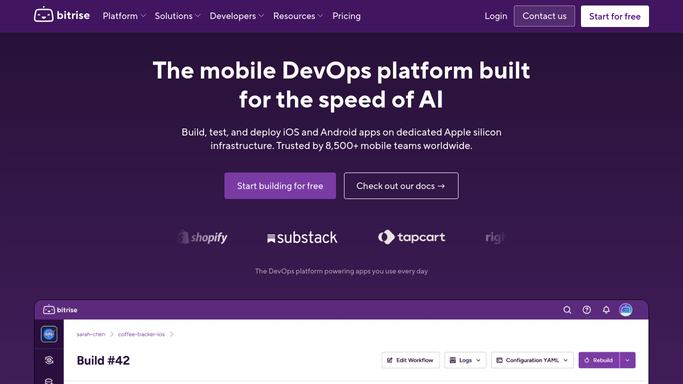
WebRun opens Bitrise to read certificate and profile expiry dates. - Sign in to Bitrise and open the code signing section for each app
- Capture every certificate and provisioning profile with its name, the app it serves, and its expiry date
- Note which workflows depend on each asset, so an expiry is tied to the builds it would block
Done when Every signing certificate and profile has an expiry date and the apps it serves.
-
2
Gmail - draft the renewal request
gmail.com How to Automate Gmail

WebRun opens Gmail to draft the renewal request. - Draft one email to the developer account holder listing the assets lapsing inside your lead time, with dates and affected apps
- Leave the email as a draft for the release owner to review and send. WebRun never emails on your behalf
- Skip drafting entirely in weeks where nothing expires inside the window, so the draft only appears when there is work to do
Done when A renewal email is drafted for review, or nothing is expiring soon.
-
3
Slack - post the dated expiry list
slack.com How to Automate Slack

WebRun opens Slack to post the dated expiry list. - Post the mobile channel a dated list of every certificate and profile with its expiry, soonest first
- Mark anything inside your lead time as urgent and name the apps and workflows it would block
- Note in the same message that a renewal draft is waiting in Gmail so the release owner knows where to look
Done when The mobile channel has this week's signing expiry list with the urgent items called out.
How is each run configured?
Secure by default
Connect once, stays signed in
WebRun signs in once and keeps each session in a persistent environment, so every run picks up right where it left off.
Every action is checked against this policy before it runs.
Questions, answered
Will it renew or upload certificates itself?
No. WebRun reads expiry dates and reports them. Generating, renewing, or uploading a signing asset stays a human job, because a wrong certificate breaks every build on the app.
Does it email the account holder on its own?
No. The renewal request is left as a Gmail draft for your release owner to review and send, so nothing leaves your mailbox without a person approving it.
How much lead time does it give?
You choose the window and WebRun flags anything lapsing inside it. Thirty days is a common setting, which leaves time for an account holder to renew before a release build is blocked.
Related templates
Put this on autopilot.
Turn it on in minutes - or have our team set it up for you.