Review who can reach each repository and drop what nobody needs
Every Monday, WebRun signs into your Bitbucket workspace, lists the members, user groups, and access keys that can reach each repository, checks each permission level against your current team list, files the full access review in Google Drive, and opens a Trello card for every grant that should be removed.
- No credit card
- Under $0.01 per run
- Cancel anytime
How do I review who has access to our repositories?
Every Monday, WebRun signs into your Bitbucket workspace, lists the members, groups, and access keys that can reach each repository, and matches them against your current team. It files the full access review in Google Drive and opens a Trello card for every grant that looks like it should be removed.
- Leavers and finished contractors do not keep write rights on your code
- Access keys left by old integrations are reviewed alongside people
- A dated access review lands in Drive every week, ready for an audit question
Built for workspace admins · engineering managers · security teams · compliance officers
What does WebRun do on every run?
The exact actions WebRun takes, in order - in plain language, so you can adjust anything.
-
WebRun signs in and gets to work
Opens
bitbucket.org/account/signinin a real browser with your saved login - no setup, no API keys. -
1
Bitbucket - list who can reach each repo
bitbucket.org
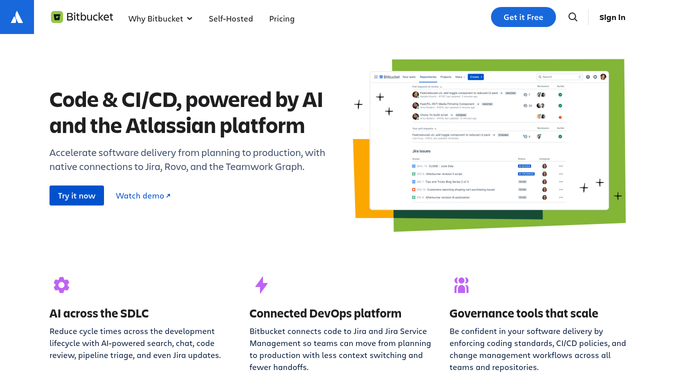
WebRun opens Bitbucket to list who can reach each repo. - Sign in to Bitbucket and open your workspace settings
- List every workspace member and every user group with the repositories they can reach
- Record the permission level held on each repository, noting who has write or admin rights
- List the access keys and app passwords attached to each repository with the date they were added
- Compare the names against your current team list and mark anyone who has left or finished a contract
- Read only. WebRun never removes a member, a group, or a key
Done when Every repository has a full list of who can reach it, at what permission level, and through which group or key.
-
2
Trello - open a card per grant to remove
trello.com How to Automate Trello

WebRun opens Trello to open a card per grant to remove. - Create a card on your security board for each person or key that looks like it should lose access
- Name the repository, the permission level, and why it was flagged, such as a leaver or an unused key
- Put write and admin grants at the top of the list, since those carry the most risk
- Leave every removal for a human to carry out in Bitbucket. WebRun never revokes access itself
Done when Every questionable grant has a card naming the repository, the permission, and the reason.
-
3
Google Drive - file the access review
drive.google.com How to Automate Google Drive

WebRun opens Google Drive to file the access review. - Save this week's access review as a dated file in your compliance folder
- Include the full member, group, key, and permission list, not just the flagged rows
- Keep previous weeks in place so the history stands up to an audit question
- Note what changed since the last review at the top of the file
Done when A dated access review file for this week sits in the compliance folder.
How is each run configured?
Secure by default
Connect once, stays signed in
WebRun signs in once and keeps each session in a persistent environment, so every run picks up right where it left off.
Every action is checked against this policy before it runs.
Questions, answered
Will it remove people from repositories?
No. WebRun reads permissions and proposes removals on a Trello card. Revoking access can break a running build or lock out a contractor mid-task, so a person makes every change in Bitbucket.
How does it know who has left?
It compares Bitbucket members against the current team list you point it at. Anyone not on that list is flagged for review rather than assumed to be a leaver.
Does it cover access keys as well as people?
Yes. Access keys and app passwords are listed per repository with the date they were added, so a key left behind by a finished integration gets the same scrutiny as a person.
Related templates
Put this on autopilot.
Turn it on in minutes - or have our team set it up for you.