Flag vulnerable connected devices before they're exploited
Every hour, WebRun checks Claroty for newly flagged vulnerabilities or risky behavior on network connected medical devices, matches each affected device to its asset record, owner, and service history in Nuvolo, and posts your security and biomedical engineering teams a Microsoft Teams alert with the recommended action, leaving any network isolation or patching decision to a human.
- No credit card
- Under $0.01 per run
- Cancel anytime
What does WebRun do on every run?
The exact actions WebRun takes, in order - in plain language, so you can adjust anything.
-
WebRun signs in and gets to work
Opens
claroty.comin a real browser with your saved login - no setup, no API keys. -
1
Claroty - detect vulnerable connected devices
claroty.com

WebRun opens Claroty to detect vulnerable connected devices. - Check Claroty for devices newly flagged with a vulnerability or anomalous network behavior since the last check
- Capture the device, vulnerability severity, and Claroty's recommended action
- Note the device's IP address and network segment
Done when Every newly flagged device is captured with its severity and recommended action.
-
2
Nuvolo - match the device to its owner and history
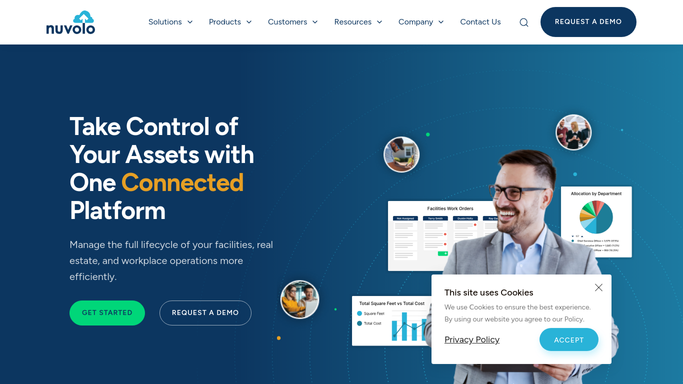
nuvolo.com How to Automate Nuvolo
WebRun opens Nuvolo to match the device to its owner and history. - Search Nuvolo for the asset matching the flagged device
- Capture the department, assigned technician, and whether the device supports life support
- Note the device's current work order and service history status
Done when Every flagged device is matched to its Nuvolo asset record and owner.
-
3
Microsoft Teams - alert security and biomed with a recommendation
microsoft.com How to Automate Microsoft Teams
WebRun opens Microsoft Teams to alert security and biomed with a recommendation. - Post an alert to the security and biomedical engineering channel naming the device and severity
- Include Claroty's recommended action and the device's owner from Nuvolo
- State clearly that no network change has been made and one requires human approval
Done when Security and biomedical teams have today's vulnerability alert with a recommended action, unapplied.


How do I get alerted to OT security risks on connected medical devices without automatic network changes?
Every hour, WebRun checks Claroty for newly flagged vulnerabilities on network connected medical devices and matches each one to its owner, department, and service history in Nuvolo. It posts your security and biomedical engineering teams a Microsoft Teams alert with a recommended action, but never isolates a device or changes the network on its own.
- Vulnerable devices are matched to an owner within the hour instead of during a quarterly scan review
- Security and biomed teams see one alert instead of cross referencing two systems by hand
- No network or device change happens without a human approving it first
Built for hospital IT and OT security teams · biomedical engineering departments · HTM cybersecurity coordinators · clinical engineering directors
How is each run configured?
Secure by default
Connect once, stays signed in
WebRun signs in once and keeps each session in a persistent environment, so every run picks up right where it left off.
Every action is checked against this policy before it runs.
Questions, answered
Does it isolate or patch the device automatically?
No. It only flags the vulnerability and posts a recommended action. Isolating a device from the network, applying a patch, or changing firewall rules stays a decision your security and biomedical teams approve and execute.
Why does a connected medical device need both Claroty and Nuvolo?
Claroty sees the network behavior and vulnerability. Nuvolo knows the device's owner, department, and whether it supports life support, so the alert tells your team both what's wrong and who to call.
Could this ever disrupt patient care by itself?
No. Because it never makes a network or device change on its own, a flagged device keeps running exactly as it was until a human reviews the alert and decides what to do.
Related templates
Put this on autopilot.
Turn it on in minutes - or have our team set it up for you.