Stay ahead of every device calibration due date
Every Monday morning, WebRun opens Nuvolo, finds every device with a calibration due within the next 30 days, emails each assigned technician a reminder through Outlook with the device and due date, and logs the complete list to Google Sheets so your calibration compliance record stays current without manual chasing.
- No credit card
- Under $0.01 per run
- Cancel anytime
What does WebRun do on every run?
The exact actions WebRun takes, in order - in plain language, so you can adjust anything.
-
WebRun signs in and gets to work
Opens
www.nuvolo.comin a real browser with your saved login - no setup, no API keys. -
1
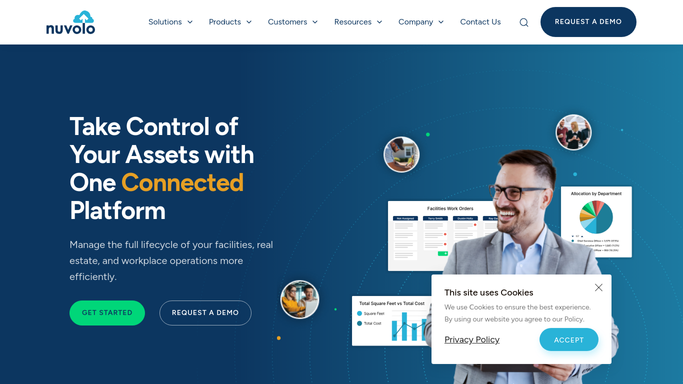
Nuvolo - find devices with calibration due soon
nuvolo.com How to Automate Nuvolo

WebRun opens Nuvolo to find devices with calibration due soon. - Open Nuvolo and filter assets by next calibration due date within 30 days
- Capture the device, location, assigned technician, and exact due date for each
- Separate any device already past its calibration due date
Done when Every device with calibration due within 30 days is listed with its technician and due date.
-
2
Outlook - email each assigned technician a reminder
microsoft.com How to Automate Outlook
WebRun opens Outlook to email each assigned technician a reminder. - Draft a reminder email to each assigned technician naming their due devices and dates
- Send the reminder for every device still within the 30-day window
- Mark any already overdue device for immediate follow-up instead of a routine reminder
Done when Every assigned technician has received a reminder for their upcoming calibrations.
-
3
Google Sheets - log the due list for compliance records
google.com How to Automate Google Sheets
WebRun opens Google Sheets to log the due list for compliance records. - Open the Calibration Compliance Log sheet
- Append each due device as a new row with the reminder date and due date
- Update the status column when a prior entry's calibration is completed
Done when The compliance log reflects every upcoming and completed calibration.


How do I make sure device calibrations never lapse in Nuvolo?
WebRun opens Nuvolo every Monday, finds every device with calibration due within 30 days, and emails each assigned technician a reminder through Outlook naming the device and due date. It also logs the complete list to Google Sheets, so your calibration compliance record stays current without anyone chasing due dates by hand.
- Technicians get a reminder weeks before a calibration lapses, not the week after
- Already overdue devices are called out separately so they don't blend into routine reminders
- A standing compliance log is ready for accreditation review without manual updating
Built for biomedical engineering technicians · clinical engineering compliance teams · HTM program managers · hospital quality and accreditation staff
How is each run configured?
Secure by default
Connect once, stays signed in
WebRun signs in once and keeps each session in a persistent environment, so every run picks up right where it left off.
Every action is checked against this policy before it runs.
Questions, answered
Does it schedule the calibration appointment itself?
No. It reminds the assigned technician and logs the due date. Booking the calibration, whether in house or with an outside vendor, stays a step your team completes.
What happens if a device is already past due?
It's flagged separately from the routine 30-day reminders so it stands out, and the technician's email calls it out as already overdue rather than upcoming.
Does the compliance log update when a calibration is completed?
Yes. It reads the live calibration status in Nuvolo each Monday, so a completed calibration updates the log's status column instead of continuing to show as due.
Related templates
Put this on autopilot.
Turn it on in minutes - or have our team set it up for you.