Track your move-in pipeline for you
Every morning, WebRun opens ECP, pulls every prospective resident's stage in the move-in pipeline from inquiry to deposit, checks DocuSign for any residency agreement still awaiting a signature, logs the stage counts and stalled cases in a Google Sheet, and emails your admissions team a short digest of who is moving in this week and who needs attention.
- No credit card
- Under $0.01 per run
- Cancel anytime
How do I get a daily digest of my ECP move-in pipeline?
WebRun reviews your ECP move-in pipeline every morning, tallies how many prospects sit at each stage from inquiry to signed lease, and checks DocuSign for any agreement still awaiting a signature. It logs the counts in Google Sheets and emails your admissions team a short digest, so every stalled prospect or unsigned agreement gets a same-day nudge.
- Admissions gets a clear move-in count every morning instead of digging through ECP
- Stalled prospects and unsigned agreements are flagged within days instead of going unnoticed for weeks
- Multi-site operators see every community's pipeline in one digest
Built for assisted living admissions directors · executive directors · senior living sales teams · memory care communities
What does WebRun do on every run?
The exact actions WebRun takes, in order - in plain language, so you can adjust anything.
-
WebRun signs in and gets to work
Opens
www.ecp123.comin a real browser with your saved login - no setup, no API keys. -
1
ECP - find each prospect's pipeline stage
ecp123.com How to Automate ECP
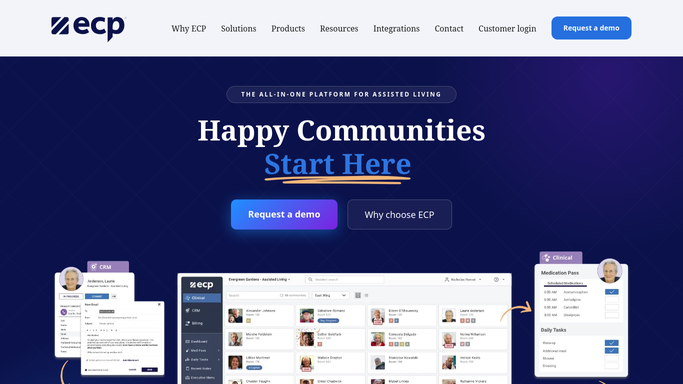
WebRun opens ECP to find each prospect's pipeline stage. - Open ECP and pull every active prospect in the move-in pipeline
- Capture each prospect's current stage: inquiry, tour, deposit, or lease out for signature
- Flag prospects with no stage movement in the last 7 days as stalled
Done when Every active prospect is listed with a current stage and a stalled flag where relevant.
-
2
DocuSign - check residency agreements awaiting signature
docusign.com How to Automate DocuSign

WebRun opens DocuSign to check residency agreements awaiting signature. - Open DocuSign and check the status of every pending residency agreement
- Match each envelope to its prospect in the pipeline
- Flag any envelope sent more than 5 days ago and still unsigned
Done when Every pending residency agreement has a current signature status.
-
3
Google Sheets - log stage counts and stalled cases
google.com How to Automate Google Sheets

WebRun opens Google Sheets to log stage counts and stalled cases. - Open the move-in pipeline tracker in Google Sheets
- Update the count of prospects at each stage, including agreements out for signature
- List stalled prospects with the days since their last stage change
Done when The sheet shows a current count at every stage plus the full stalled list.
-
4
Gmail - email the admissions team the digest
gmail.com How to Automate Gmail

WebRun opens Gmail to email the admissions team the digest. - Draft the daily move-in pipeline digest to the admissions team inbox
- Lead with this week's expected move-ins, stalled prospects, and unsigned agreements
- Send the digest. It never contacts a prospective resident or family directly
Done when The admissions team has this morning's pipeline digest in their inbox.
How is each run configured?
Secure by default
Connect once, stays signed in
WebRun signs in once and keeps each session in a persistent environment, so every run picks up right where it left off.
Every action is checked against this policy before it runs.
Questions, answered
Will it contact prospective residents or families directly?
No. WebRun only emails your internal admissions team. It never messages a prospect or family member on its own, in ECP, DocuSign, or Gmail.
How does it decide a prospect is stalled?
It flags any prospect whose stage in ECP has not changed in 7 days and any residency agreement unsigned in DocuSign for more than 5 days, so nobody quietly falls through the pipeline.
Can it count multiple communities or just one?
It reads whichever ECP community or communities you connect at setup, so a multi-site operator gets one digest covering every location.
Related templates
Put this on autopilot.
Turn it on in minutes - or have our team set it up for you.