Stay ahead of lease renewals for you
Every Monday, WebRun opens ECP, finds every resident whose residency agreement expires within 60 days, prepares that resident's renewal envelope in DocuSign with the rate and term filled in but left unsent, and logs the renewal status in a Google Sheet so your business office can review and send each one on schedule.
- No credit card
- Under $0.01 per run
- Cancel anytime
How do I stay ahead of assisted living residency agreement renewals?
WebRun finds every residency agreement in ECP expiring within 60 days, prepares that resident's renewal envelope in DocuSign with the rate and term filled in but left unsent, and logs the status in Google Sheets. Your business office reviews and sends every renewal, so no lease lapses from a missed deadline.
- Expiring residency agreements surface 60 days out instead of at the deadline
- Business office reviews a prepared envelope instead of drafting one from scratch
- No lease lapses because a renewal was never sent
Built for assisted living business office managers · leasing and admissions teams · multi-site senior living operators
What does WebRun do on every run?
The exact actions WebRun takes, in order - in plain language, so you can adjust anything.
-
WebRun signs in and gets to work
Opens
www.ecp123.comin a real browser with your saved login - no setup, no API keys. -
1
ECP - find residency agreements expiring soon
ecp123.com How to Automate ECP
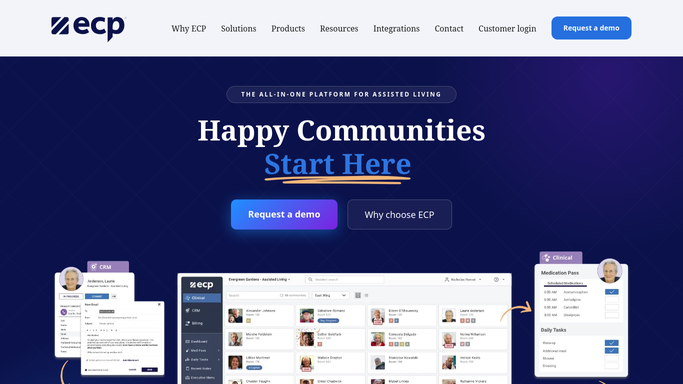
WebRun opens ECP to find residency agreements expiring soon. - Open ECP and pull every residency agreement expiring within the next 60 days
- Capture the resident, current rate, care level, and expiration date
- Flag any resident already past their expiration date as urgent
Done when Every agreement expiring within 60 days is listed with its details.
-
2
DocuSign - prepare the renewal envelope
docusign.com How to Automate DocuSign

WebRun opens DocuSign to prepare the renewal envelope. - Open DocuSign and prepare a renewal envelope for each flagged resident
- Fill in the resident's current rate, any rate change, and the new term
- Leave every envelope unsent for your business office to review and send
Done when A reviewable renewal envelope is prepared for every upcoming expiration.
-
3
Google Sheets - log renewal status for each resident
google.com How to Automate Google Sheets

WebRun opens Google Sheets to log renewal status for each resident. - Open the lease renewal tracker in Google Sheets
- Log each resident's expiration date and envelope status
- Flag any renewal from a prior week still unsent
Done when The sheet shows every upcoming renewal and whether it has been sent.
How is each run configured?
Secure by default
Connect once, stays signed in
WebRun signs in once and keeps each session in a persistent environment, so every run picks up right where it left off.
Every action is checked against this policy before it runs.
Questions, answered
Will it send a renewal to a resident or family without review?
No. It prepares the DocuSign envelope with the details filled in but leaves it unsent. Your business office reviews and sends every renewal.
How far ahead does it flag an expiring agreement?
60 days by default, and you can change that window at setup so renewals reach the business office with as much lead time as your community needs.
What if the rate is changing at renewal?
Enter the new rate in ECP and WebRun fills the updated rate into the prepared DocuSign envelope automatically.
Related templates
Put this on autopilot.
Turn it on in minutes - or have our team set it up for you.