Hand off every new Arctic Wolf incident cleanly
The moment Arctic Wolf's SOC flags a new incident, WebRun reviews the incident summary and severity, schedules a triage meeting on Google Calendar with the right responders, and posts a handoff note to Microsoft Teams so the internal team knows exactly what to do next.
- No credit card
- Under $0.01 per run
- Cancel anytime
What does WebRun do on every run?
The exact actions WebRun takes, in order - in plain language, so you can adjust anything.
-
WebRun signs in and gets to work
Opens
arcticwolf.comin a real browser with your saved login - no setup, no API keys. -
1
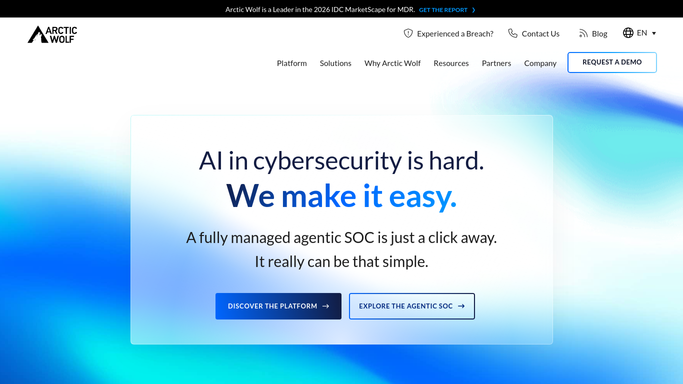
Arctic Wolf - review the new incident
arcticwolf.com

WebRun opens Arctic Wolf to review the new incident. - Open Arctic Wolf and review the newly flagged incident
- Note the severity, affected system, and the SOC's recommended next step
- Identify who on the internal team needs to be involved
Done when The new incident's severity and recommended next step are recorded.
-
2
Google Calendar - schedule a triage meeting
calendar.google.com How to Automate Google Calendar
WebRun opens Google Calendar to schedule a triage meeting. - Open Google Calendar and check the availability of the needed responders
- Schedule a triage meeting as soon as everyone can join
- Set it high priority for incidents marked severe
Done when A triage meeting is on the calendar with the right responders invited.
-
3
Microsoft Teams - hand off to the team
microsoft.com How to Automate Microsoft Teams
WebRun opens Microsoft Teams to hand off to the team. - Post a handoff note to the incident response channel in Microsoft Teams
- Summarize the incident, severity, and the SOC's recommended next step
- Link to the triage meeting and the full incident in Arctic Wolf
Done when The response channel has a handoff note with a link to the triage meeting.


How do I make sure a new Arctic Wolf incident gets triaged quickly?
WebRun reviews each new incident Arctic Wolf's SOC flags, schedules a triage meeting on Google Calendar with the right responders, and posts a handoff note to Microsoft Teams summarizing severity and next steps. It never contains or remediates an incident itself, so your response team makes every containment decision.
- Triage meetings get scheduled the moment an incident is flagged, not after someone notices
- The response team gets one clear handoff note instead of a raw SOC alert
- Containment decisions always stay with your human responders
Built for security operations teams · IT admins · incident response teams · CISOs
How is each run configured?
Secure by default
Connect once, stays signed in
WebRun signs in once and keeps each session in a persistent environment, so every run picks up right where it left off.
Every action is checked against this policy before it runs.
Questions, answered
Does WebRun respond to or contain the incident itself?
No. WebRun only reads the SOC's findings and hands them off. Containing or remediating the incident is always done by your response team.
How fast does the handoff happen?
As soon as Arctic Wolf flags a new incident, so the triage meeting and Teams note go out without waiting for someone to notice the alert.
What if the incident turns out to be a false positive?
The handoff still happens so a human can confirm that quickly. WebRun doesn't judge severity or dismiss anything on its own.
Related templates
Put this on autopilot.
Turn it on in minutes - or have our team set it up for you.