See who can open and edit every internal tool
Every Monday, WebRun opens Appsmith, walks every workspace and app, records who holds each role, notes which apps are shared publicly and which datasources they reach, opens a Trello card per access risk, and messages you on WhatsApp with the ones worth acting on today.
- No credit card
- Under $0.01 per run
- Cancel anytime
How do I review who can access my internal tools each week?
Every Monday WebRun signs into Appsmith and reviews access rather than build state: who holds which role in each workspace, which apps are shared publicly, and which datasources those apps reach. It opens a Trello card per risk and messages the platform owner on WhatsApp, so rights get pulled back the same week.
- Publicly shared internal tools are caught within a week
- Leavers holding edit rights surface with a card and an owner
- Every access risk has a named next step rather than a note in someone's head
Built for platform teams · internal tools owners · IT security · engineering managers
What does WebRun do on every run?
The exact actions WebRun takes, in order - in plain language, so you can adjust anything.
-
WebRun signs in and gets to work
Opens
app.appsmith.comin a real browser with your saved login - no setup, no API keys. -
1
Appsmith - review sharing and roles
appsmith.com
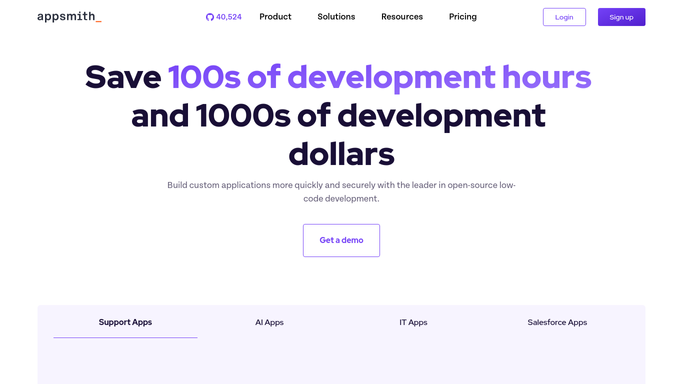
WebRun opens Appsmith to review sharing and roles. - Sign in to Appsmith and list every workspace you own
- For each workspace, record the members and the role each one holds
- Open each app's share settings and note whether it is shared publicly or invite only
- Note which datasources each publicly shared app can reach
- Compare the member list against your current staff roster and mark anyone who has left
Done when Every app and workspace has its sharing state and role list recorded.
-
2
Trello - open a card per access risk
trello.com How to Automate Trello

WebRun opens Trello to open a card per access risk. - Open a card for each access risk found: a public share, a leaver with edit rights, or an app nobody owns
- Put the workspace, the app and the current setting in the card description
- Label the cards holding a public share on a live datasource as the ones to do first
- Skip risks that already have an open card from an earlier week
Done when Every access risk has a Trello card with an owner and a label.
-
3
WhatsApp - flag the public shares
whatsapp.com How to Automate WhatsApp

WebRun opens WhatsApp to flag the public shares. - Message the platform owner with the count of apps shared publicly and leavers still holding rights
- Name the highest risk items first, with a link to the Trello card
- Note when the review found nothing new, so a quiet week is still reported
Done when The platform owner has this week's access summary on WhatsApp.
How is each run configured?
Secure by default
Connect once, stays signed in
WebRun signs in once and keeps each session in a persistent environment, so every run picks up right where it left off.
Every action is checked against this policy before it runs.
Questions, answered
Will it revoke anyone's access on its own?
No. WebRun only reads sharing settings and role lists, then opens Trello cards describing what it found. Removing a member or turning off a public share stays a human decision.
What does it treat as a risk?
An app shared publicly, a former staff member who still holds edit rights, and any app with no named owner. Public shares that reach a live datasource are labelled as the ones to fix first.
Does it look inside the apps themselves?
No. This review ignores build state entirely and reads only sharing settings, workspace membership and the datasources a shared app can reach.
Related templates
Put this on autopilot.
Turn it on in minutes - or have our team set it up for you.