Get timesheets submitted on time without the awkward reminders
Every Friday morning, WebRun opens BQE Core, identifies staff members with missing or incomplete timesheets for the current week, drafts a friendly reminder email for each person in Gmail, and posts a summary to Slack so principals know who still needs to submit before the week closes.
- No credit card
- Under $0.01 per run
- Cancel anytime
How can I automatically remind staff to complete timesheets in BQE Core?
WebRun checks BQE Core every Friday morning, identifies staff with missing or incomplete timesheets for the week, and drafts a friendly reminder email for each person in Gmail. It posts a Slack summary for principals to review. No reminder is sent to staff until you approve and send each Gmail draft.
- Timesheets are submitted on time without principals manually chasing staff
- No reminder email reaches staff without your review and approval
- Project billing stays accurate because time entries are captured every week
Built for architecture firms · engineering firms · AEC operations managers · principal architects · project accountants
What does WebRun do on every run?
The exact actions WebRun takes, in order - in plain language, so you can adjust anything.
-
WebRun signs in and gets to work
Opens
app.bqe.comin a real browser with your saved login - no setup, no API keys. -
1
BQE Core - find incomplete timesheets
bqe.com
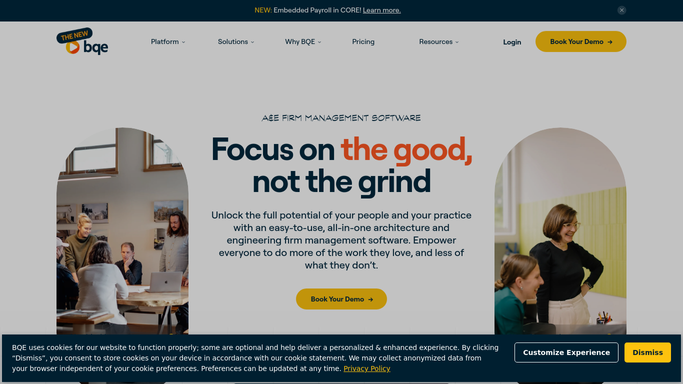
WebRun opens BQE Core to find incomplete timesheets. - Open BQE Core and navigate to the time and expense section
- Check each active staff member's timesheet for the current week
- List anyone whose hours are missing or below the expected minimum for the week
Done when Every staff member with an incomplete timesheet is identified.
-
2
Gmail - draft reminder emails
gmail.com How to Automate Gmail

WebRun opens Gmail to draft reminder emails. - Draft a friendly, professional reminder email for each staff member with an incomplete timesheet
- Include the staff member's name, the week ending date, and a link to BQE Core to complete their entry
- Save every email as a draft. Do not send any email without human approval
Done when A draft reminder is ready in Gmail for every staff member with incomplete hours.
-
3
Slack - post summary to principals
slack.com How to Automate Slack

WebRun opens Slack to post summary to principals. - Post a summary to the operations or admin channel listing who still has incomplete timesheets
- Include each person's name and how many hours are missing
- Note how many Gmail drafts are ready for review
Done when Principals have a clear picture of who needs to submit and Gmail drafts are queued for review.
How is each run configured?
Secure by default
Connect once, stays signed in
WebRun signs in once and keeps each session in a persistent environment, so every run picks up right where it left off.
Every action is checked against this policy before it runs.
Questions, answered
Will it send reminder emails to staff without my approval?
No. Every reminder is saved as a Gmail draft and listed in the Slack summary first. You decide who gets a nudge and send each email yourself. Nothing goes to staff without your review.
What counts as an incomplete timesheet in BQE Core?
WebRun flags anyone whose submitted hours for the week are missing or fall below the threshold you specify, such as under 40 hours for full-time staff. You set the rule when you configure the workflow.
Can it remind staff who are on leave or have approved time off?
You can configure WebRun to skip staff marked as on leave in BQE Core, so only people expected to submit hours appear on the reminder list.
Related templates
Put this on autopilot.
Turn it on in minutes - or have our team set it up for you.