Hand every client an exam ready compliance summary
Every Monday, WebRun opens ComplySci to score each client's readiness across attestations, trading exceptions, restricted list currency, and gift log status, builds a trending scorecard in Google Sheets, and drafts a Gmail readiness memo to each client's compliance officer, left unsent for your review.
- No credit card
- Under $0.01 per run
- Cancel anytime
How do I give each RIA client a clear exam readiness summary every week?
WebRun compiles each client's exam readiness status from ComplySci every Monday, scoring attestations, trading exceptions, restricted list currency, and gift log status as ready, needs attention, or overdue. It builds a trending scorecard in Google Sheets and drafts a Gmail readiness memo to each client's compliance officer, so every client sees their standing before your firm ever asks.
- Every client gets a scored, trending readiness view every week
- Gaps are named specifically, not left as a vague warning
- A client ready memo is waiting for review before you ever have to write one
Built for investment adviser compliance consultants · outsourced chief compliance officers · RIA compliance teams · compliance consulting firms
What does WebRun do on every run?
The exact actions WebRun takes, in order - in plain language, so you can adjust anything.
-
WebRun signs in and gets to work
Opens
app.comply.comin a real browser with your saved login - no setup, no API keys. -
1
ComplySci (COMPLY) - compile each client's readiness status
comply.com How to Automate ComplySci (COMPLY)
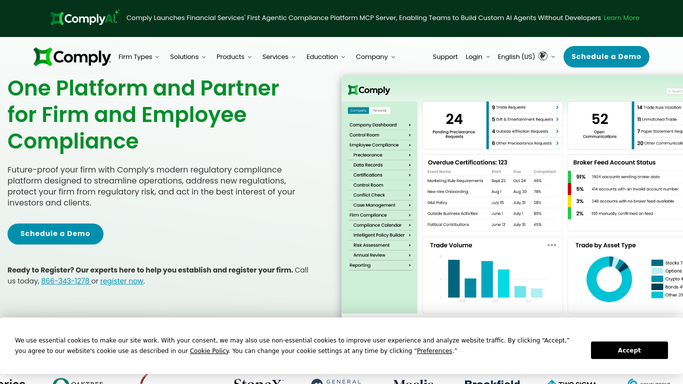
WebRun opens ComplySci (COMPLY) to compile each client's readiness status. - Open ComplySci and pull each client's current status: attestations, trading exceptions, restricted list, and gift log
- Score each category as ready, needs attention, or overdue
- Note the specific item behind any needs attention or overdue score
Done when Every client has a scored status across all four compliance categories.
-
2
Google Sheets - build the readiness scorecard
google.com How to Automate Google Sheets

WebRun opens Google Sheets to build the readiness scorecard. - Open the shared readiness scorecard
- Add each client's score by category with the specific gap named
- Carry forward last week's score so your team can see the trend
Done when The scorecard reflects every client's current readiness and week over week trend.
-
3
Gmail - draft the readiness memo
gmail.com How to Automate Gmail

WebRun opens Gmail to draft the readiness memo. - Draft a readiness memo to each client's compliance officer summarizing their score
- Name the specific items still needing attention
- Leave every memo as a draft. Never send it without review
Done when A readiness memo draft is waiting in Gmail for every client.
How is each run configured?
Secure by default
Connect once, stays signed in
WebRun signs in once and keeps each session in a persistent environment, so every run picks up right where it left off.
Every action is checked against this policy before it runs.
Questions, answered
Will it send the readiness memo to a client?
No. WebRun only drafts the memo in Gmail. You review it and send it yourself, nothing reaches a client automatically.
What goes into a client's readiness score?
Four categories read live from ComplySci: attestations completed, open trading exceptions, restricted list currency, and gift log status, each scored ready, needs attention, or overdue.
Can we see how a client's readiness is trending?
Yes. The Google Sheets scorecard carries each week's score forward, so your team can see whether a client is improving or slipping before the next memo goes out.
Related templates
Put this on autopilot.
Turn it on in minutes - or have our team set it up for you.