Chase outstanding code of ethics attestations for you
Every Monday, WebRun opens ComplySci across your client roster, finds every employee who hasn't completed this quarter's code of ethics attestation, drafts a Gmail reminder naming exactly who is still outstanding for each client, and posts your team a Slack summary so nothing lapses before your next review.
- No credit card
- Under $0.01 per run
- Cancel anytime
What does WebRun do on every run?
The exact actions WebRun takes, in order - in plain language, so you can adjust anything.
-
WebRun signs in and gets to work
Opens
app.comply.comin a real browser with your saved login - no setup, no API keys. -
1
ComplySci (COMPLY) - find outstanding attestations
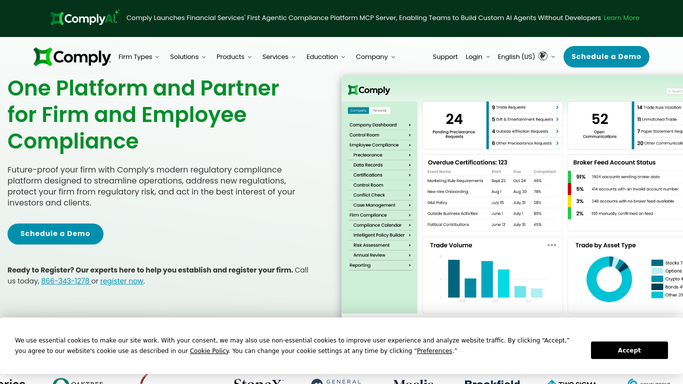
comply.com How to Automate ComplySci (COMPLY)

WebRun opens ComplySci (COMPLY) to find outstanding attestations. - Open ComplySci and go to the Code of Ethics module for each client account
- Filter attestations to Outstanding for the current quarter
- Capture the employee, firm, and days until the attestation deadline
Done when Every outstanding attestation is listed with the employee, client, and days remaining.
-
2
Gmail - draft reminders to outstanding employees
gmail.com How to Automate Gmail
WebRun opens Gmail to draft reminders to outstanding employees. - Draft a reminder to each client's compliance contact naming the employees still outstanding
- Reference the attestation deadline and the ComplySci module to complete it in
- Leave every reminder as a draft. Never send it without review
Done when A reminder draft is waiting in Gmail for every client with outstanding attestations.
-
3
Slack - report attestation status by client
slack.com How to Automate Slack
WebRun opens Slack to report attestation status by client. - Post a status summary of attestations completed versus outstanding by client
- Flag any client within 3 days of the deadline first
Done when Your team has today's attestation status list in Slack.


How do I keep code of ethics attestations from lapsing across multiple RIA clients?
WebRun checks ComplySci every Monday across your RIA and broker-dealer clients for employees who haven't completed their code of ethics attestation, then drafts a Gmail reminder naming exactly who is still outstanding at each client. It posts your team a Slack status summary too, so no client's attestation window closes without a documented, timely nudge.
- Outstanding attestations get a documented reminder before the deadline, not after
- Every client's completion status lives in one weekly Slack summary
- Employees who complete late are dropped from the list automatically
Built for investment adviser compliance consultants · outsourced chief compliance officers · RIA compliance teams · broker-dealer compliance officers
How is each run configured?
Secure by default
Connect once, stays signed in
WebRun signs in once and keeps each session in a persistent environment, so every run picks up right where it left off.
Every action is checked against this policy before it runs.
Questions, answered
Will it email clients without me?
No. WebRun only drafts the reminder in Gmail naming who's outstanding. You review and send it yourself, nothing goes to a client automatically.
How does it know who's still outstanding?
It reads live attestation status in ComplySci for each client account, so anyone who completes theirs later in the day is dropped from the next reminder automatically.
Does it complete or sign an attestation for anyone?
No. WebRun only reads status and drafts reminders. Each employee still completes and signs their own attestation inside ComplySci.
Related templates
Put this on autopilot.
Turn it on in minutes - or have our team set it up for you.