Start every clinic day with a clear schedule digest
Every morning before the clinic opens, WebRun pulls today's full appointment schedule from Jane, organises it by time and practitioner, highlights any new-client visits, missing intake forms, or special preparation notes, and posts the complete digest to the clinic's Slack channel.
- No credit card
- Under $0.01 per run
- Cancel anytime
How do I automatically get a daily schedule digest for my acupuncture clinic?
WebRun opens Jane every morning before the clinic starts, pulls the full day's appointments, flags new-client visits and missing intake forms, and posts a structured digest to the clinic Slack channel. The whole team sees who is coming in, what prep is needed, and how many open slots remain, all before the first client arrives.
- The whole team starts the day knowing exactly who is coming in and what prep is needed
- New-client visits and missing intake forms are flagged before the first appointment
- Open slots are surfaced so the team can fill gaps from the waitlist
Built for acupuncture clinic owners · TCM practitioners · clinic receptionists · holistic health studio teams
What does WebRun do on every run?
The exact actions WebRun takes, in order - in plain language, so you can adjust anything.
-
WebRun signs in and gets to work
Opens
jane.appin a real browser with your saved login - no setup, no API keys. -
1
Jane - pull today's full appointment schedule
jane.app How to Automate Jane
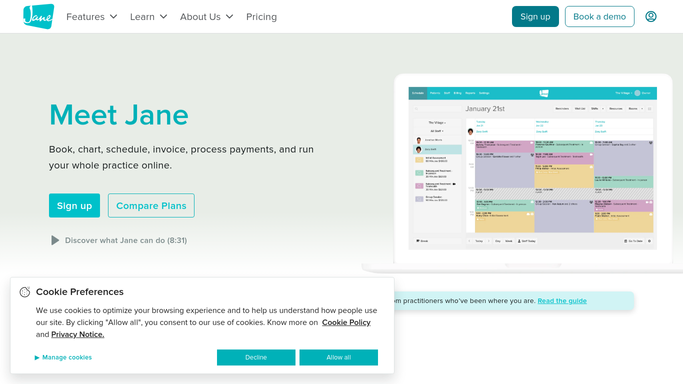
WebRun opens Jane to pull today's full appointment schedule. - Open Jane and navigate to today's schedule view
- Pull all appointments for the day, including client name, appointment type, practitioner, and time
- Flag new-client visits, clients with missing intake forms, and any notes requiring preparation
- Note any gaps or empty slots that could be offered to waitlist clients
Done when Today's full schedule is compiled with flags for new clients, missing forms, and prep notes.
-
2
Slack - post structured daily digest to clinic channel
slack.com How to Automate Slack

WebRun opens Slack to post structured daily digest to clinic channel. - Post the structured daily digest to the clinic Slack channel
- List appointments in time order with practitioner, client, and appointment type
- Call out flagged items (new clients, missing forms, special prep) at the top for quick scanning
- Include a count of available slots for the day
Done when The clinic team has today's full schedule and flags in Slack before the first client arrives.
How is each run configured?
Secure by default
Connect once, stays signed in
WebRun signs in once and keeps each session in a persistent environment, so every run picks up right where it left off.
Every action is checked against this policy before it runs.
Questions, answered
Does this send anything to clients?
No. The digest is an internal-only post to your clinic Slack channel. No client receives any message from this workflow.
Can it cover multiple practitioners on the same schedule?
Yes. It pulls all practitioners from the Jane schedule and organises the digest by practitioner column, so the whole team sees their day at a glance.
What if a client cancels after the digest is posted?
The digest reflects the schedule at the time it runs (7:30 AM). Late cancellations are visible in Jane in real time, and you can re-run the workflow manually if a significant change occurs mid-morning.
Related templates
Put this on autopilot.
Turn it on in minutes - or have our team set it up for you.