Keep acupuncture clients on their treatment plan
Every morning, WebRun opens Jane, finds appointments scheduled in the next 24 to 48 hours, drafts a personalised reminder for each client, and queues every message for the practitioner to review and send, so clients arrive prepared and chairs stay full.
- No credit card
- Under $0.01 per run
- Cancel anytime
What does WebRun do on every run?
The exact actions WebRun takes, in order - in plain language, so you can adjust anything.
-
WebRun signs in and gets to work
Opens
jane.appin a real browser with your saved login - no setup, no API keys. -
1
Jane - find upcoming appointments
jane.app How to Automate Jane

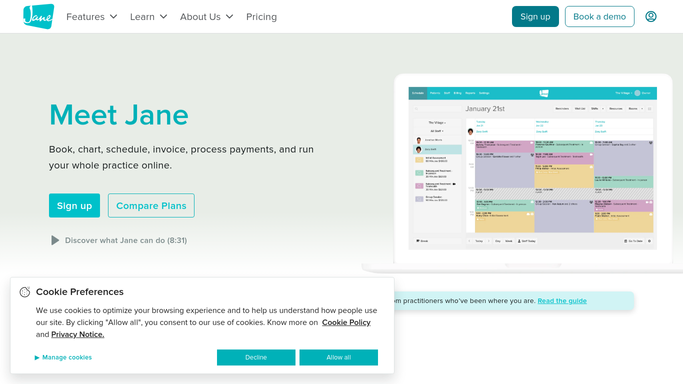
WebRun opens Jane to find upcoming appointments. - Open Jane and navigate to the schedule view
- Filter appointments to those starting in the next 24 to 48 hours
- Capture client name, appointment type, practitioner, and any intake notes flagged
Done when Every upcoming appointment is listed with its client details and appointment type.
-
2
Gmail - draft personalised reminders
gmail.com How to Automate Gmail
WebRun opens Gmail to draft personalised reminders. - Draft a personalised reminder for each client referencing their appointment time and type
- Include any preparation notes relevant to their treatment
- Save every draft unsent in Gmail for practitioner review before sending
Done when A reviewed-ready draft exists in Gmail for every upcoming appointment.
-
3
Slack - notify practitioner to review and send
slack.com How to Automate Slack
WebRun opens Slack to notify practitioner to review and send. - Post a summary to the clinic Slack channel listing how many reminders are queued
- Flag any appointment with missing intake forms or special prep notes
Done when Practitioner has a Slack alert with the count and any flags so they can review and send.


How do I automatically send appointment reminders to acupuncture clients?
WebRun opens Jane every morning, finds appointments in the next 24 to 48 hours, and drafts a personalised reminder for each client in Gmail. Every message is queued unsent for practitioner review, then a Slack summary flags what is ready, so no client arrives unprepared and no appointment is forgotten.
- No-shows reduced because clients receive timely, personalised reminders
- Practitioners review and send in one click from their existing Gmail inbox
- Cancelled appointments are skipped automatically from the live Jane schedule
Built for acupuncturists · TCM practitioners · holistic health clinics · acupuncture clinic owners
How is each run configured?
Secure by default
Connect once, stays signed in
WebRun signs in once and keeps each session in a persistent environment, so every run picks up right where it left off.
Every action is checked against this policy before it runs.
Questions, answered
Will it send reminders to clients without my approval?
No. Every reminder is saved as a Gmail draft and held for your review. Nothing is sent until you approve and click send.
Can it include specific preparation instructions for each treatment type?
Yes. WebRun reads the appointment type from Jane and includes preparation notes tailored to acupuncture, cupping, or herbal consultations based on the guidance you provide.
What happens if a client cancels after the reminder is drafted?
It reads the live schedule in Jane each morning, so cancelled appointments are skipped and their drafts are not created.
Related templates
Put this on autopilot.
Turn it on in minutes - or have our team set it up for you.